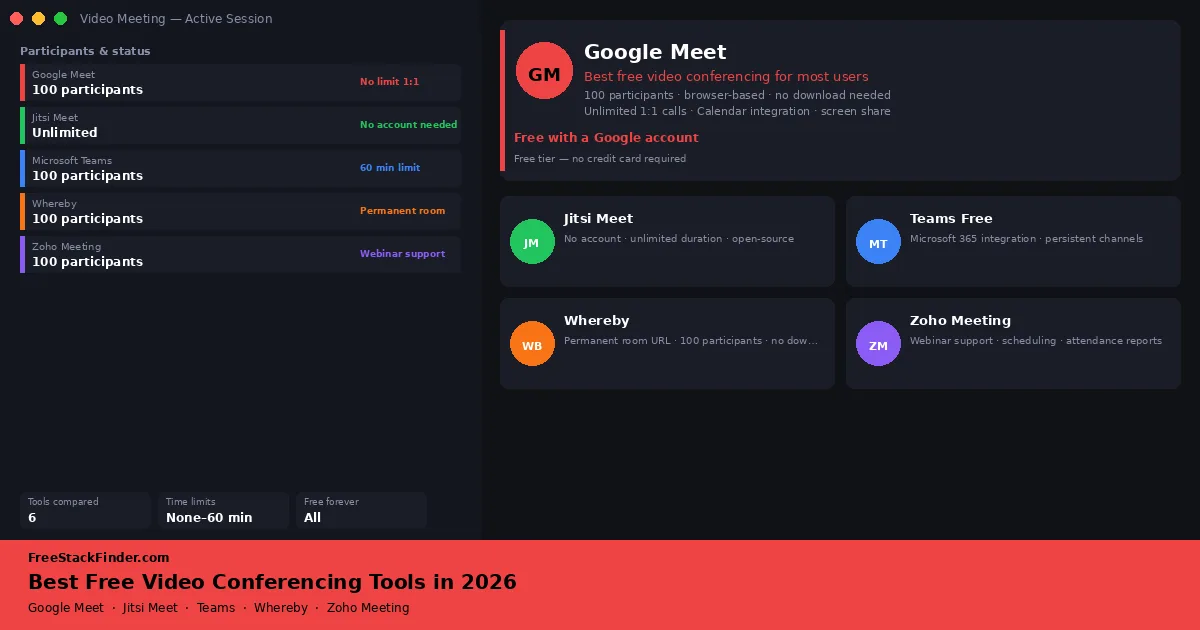
A free meeting tool works until one limit interrupts the call: duration, participant count, account requirements, or recording. Match the tool to the meeting you run most often before asking a whole team or class to adopt it.
Call length and guest access decide the shortlist
Use Google Meet for ordinary team and client calls. Whereby fits short calls with no more than four people, while Jitsi Meet lets guests join by link and can be self-hosted. Choose Microsoft Teams Free when Microsoft 365 is already part of the workflow. Zoho Meeting is aimed at structured sessions; Discord is better for persistent voice channels than scheduled meetings.
What to look for before you choose
Most free video conferencing tools advertise similar features, HD video, screen sharing, chat, but the differences are in the limits you will hit during real use:
- Time limits on group calls. A 40 to 60-minute cap is not a problem for a quick standup, but it will interrupt a team workshop, client discovery session, or online class. Know whether the free tier cuts off group calls.
- Participant limit. Tools that cap group video at 25 or fewer participants are fine for small team standups but unsuitable for all-hands meetings or client webinars.
- Account and download requirements. If participants need to sign up or install an app just to join your call, expect drop-off and support requests before every meeting.
- Recording. Most free plans in this comparison do not include cloud recording. If you need to share call recordings with absent team members, factor this in.
- Scheduling and calendar integration. Tools that generate calendar invites automatically reduce the manual overhead of scheduling recurring meetings.
Meeting limits at a glance
| Tool | Group call time limit | Max video participants | Requires download | Recording on free plan |
|---|---|---|---|---|
| Google Meet | 60 minutes | 100 | No | No (cloud) |
| Jitsi Meet | No published limit | Capacity varies by host | No | Local recording available |
| Microsoft Teams Free | 60 minutes | 100 | Optional | No |
| Whereby | 30 minutes | 4 | No | No |
| Zoho Meeting | 60 minutes | 100 (20 for webinars) | Optional | No |
| Discord | None | 25 video | Recommended | No |
Six meeting tools for different groups
1. Google Meet: the default choice for most users
Google Meet is Google’s browser-based meeting platform. A host needs a Google account. Guest access depends on the host’s account type and meeting-access settings.
What you get on the free tier:
- One-to-one calls up to 24 hours
- Group calls up to 60 minutes with up to 100 participants
- Screen sharing, live captions, background blur, and in-meeting chat
- No app download required: hosts and participants join directly from a browser
- Automatic meeting links when scheduling via Google Calendar
- Works on any modern browser on desktop, iOS, and Android
Where the free tier falls short:
- Group calls cut off at 60 minutes, not a problem for short standups, but a genuine blocker for longer workshops or training sessions
- Cloud recording requires a Google Workspace subscription (not free)
- Breakout rooms, polls, and Q&A are paid features
- Noise cancellation is limited on the free tier compared to Workspace plans
Choose Google Meet if the team already uses Gmail, Google Calendar, or Google Classroom and group calls stay under 60 minutes. Guests can join from a browser link without installing an app.
Google’s current Meet limits allow 100 participants, 24 hours for a one-to-one meeting, and one hour for a meeting with three or more participants. That group-call limit is the main reason to look elsewhere.
2. Jitsi Meet: link-based guests and a self-hosting option
Jitsi Meet is an open-source video conferencing platform that runs in a browser and can also be self-hosted. On the public meet.jit.si service, the first participant must authenticate or wait for an authenticated moderator; later guests can join from the room link.
What you get on the free tier:
- No published duration limit on the public service
- Guests can join by room link after a moderator starts the room
- Screen sharing, hand raising, chat, and reactions
- End-to-end encryption available as an opt-in setting
- Self-hosted deployment option for organizations that need full data control
- Available in-browser and as mobile apps for iOS and Android
Practical limits to keep in mind:
- The public service does not publish a simple participant guarantee; capacity depends on devices, bandwidth, and the host
- No built-in calendar integration or scheduling tools
- No cloud recording on the public hosted service
- Participants unfamiliar with Jitsi may need more guidance than they would with Google Meet or Teams
Choose Jitsi when guests should be able to join from a link, or when a technical team wants to self-host the service. The current start guide explains the moderator authentication required on meet.jit.si.
Jitsi’s useful distinction is control: guests can join a hosted room by link, and an organization can run its own instance. Self-hosting also means taking responsibility for authentication, capacity, updates, and recording infrastructure.
3. Microsoft Teams Free: a collaboration platform that also does video calls
Microsoft Teams combines chat, file sharing, and group video calls with Microsoft 365 integrations on its free tier.
What you get on the free tier:
- Group video calls up to 60 minutes with up to 100 participants
- Persistent team channels with unlimited chat history
- File sharing with 5 GB of storage per user
- Screen sharing and background blur
- Integration with Word, Excel, PowerPoint, and SharePoint for in-meeting document collaboration
- Available on Windows, macOS, iOS, Android, and in-browser
Where the free tier falls short:
- The 60-minute group call limit is longer than Zoom Basic’s 40 minutes but still interrupts longer sessions
- Meeting recording requires a Microsoft 365 Business subscription
- IT admin controls, compliance features, and custom domains are locked behind paid plans
- The interface includes a full business collaboration platform, so it is harder to use than a simple video calling tool for one-off meetings
Choose Teams when OneDrive, Outlook, SharePoint, or Office documents are already part of the workflow and persistent chat channels need to sit beside calls.
Microsoft’s current Teams Free page lists 100 participants, 60-minute group meetings, and 5GB of storage per user. Choose it when persistent chat and Office app integration matter alongside calls.
4. Whereby: a permanent room for short calls
Whereby provides a persistent browser-based meeting-room URL, so a solo host can reuse one address without scheduling each call.
What you get on the free tier:
- One permanent meeting room with a custom URL (e.g., whereby.com/yourname)
- Up to 4 participants per call
- No download required for participants: they join with one click
- Screen sharing and in-meeting chat
- Meetings up to 30 minutes
Limitations on the free plan:
- Restricted to one meeting room: you cannot create separate rooms for different clients or teams
- Four-participant and 30-minute caps
- Recording is a paid feature
- Breakout rooms, custom branding beyond your URL, and room locking features are on paid plans
- No direct calendar integration on the free tier
Choose Whereby for short client calls that benefit from a reusable room URL. The current Free plan is limited to one room, four participants, and 30 minutes.
Whereby’s permanent URL removes the need to generate a new link for each appointment. The short duration cap makes it a poor fit for workshops or calls that regularly run past half an hour.
5. Zoho Meeting: structured sessions and basic webinar support
Zoho Meeting’s free tier includes scheduled meetings, basic webinar registration, and presenter controls.
What you get on the free tier:
- Meetings up to 60 minutes with up to 100 participants
- Built-in meeting scheduler with calendar integration (Google, Outlook)
- Screen sharing, polls during meetings, and hand raising
- Basic webinar hosting for up to 20 attendees (free tier)
- Meeting analytics and attendance reports
- Available in-browser and as desktop/mobile apps
Where it falls short:
- 60-minute meeting time limit applies, same as Google Meet and Teams
- Webinar attendee cap is 20 on the free plan: paid plans are needed for larger audiences
- Cloud recording is a paid feature
- Hosts need a Zoho account, adding an onboarding step that Google Meet avoids
Choose Zoho Meeting for structured calls or simple webinars with up to 20 attendees, especially when Zoho CRM or Zoho Projects is already in use.
Zoho’s current free webinar page lists a 60-minute session limit and up to 20 attendees. That makes it useful for a small scheduled presentation, while larger events and cloud recording require a paid plan.
6. Discord: for teams that want channels, not calendars
Discord combines voice, video, and text in persistent channels. Participants can join an available voice channel instead of scheduling a meeting link.
What you get on the free tier:
- Unlimited duration video calls with no time limits
- Up to 25 simultaneous video participants per channel
- Persistent text channels, file sharing, screen sharing, and reactions
- Screen sharing with audio (useful for watching content together or doing live coding sessions)
- Available on Windows, macOS, Linux, iOS, and Android
The real limits:
- Video quality is capped at 720p on the free tier (1080p requires Nitro)
- 25-person video cap means it is not suitable for all-hands meetings or webinars
- No built-in meeting scheduling or calendar integration
- The interface and server setup require more technical knowledge than a simple meeting link
Choose Discord for creative collaborators, developer pairing, and small teams that use ongoing channels more often than scheduled client calls.
Discord works differently: instead of “schedule a meeting,” the pattern is “voice channels are always available, drop in when you need to talk.” For teams that find the work of scheduling stand-ups and syncs disruptive, this changes how they communicate. It is a stronger fit for smaller, always-on teams than for organizations running formal client calls or structured presentations.
Common mistakes teams make with free conferencing plans
Defaulting to Zoom without checking the limit. Zoom’s Basic plan limits almost all hosted meetings to 40 minutes. Google Meet extends a meeting with three or more participants to 60 minutes, while Whereby’s Free plan stops at 30 minutes. Compare the actual meeting format in our free Zoom alternatives guide before switching.
Not testing the join experience before standardizing. The host’s experience of setting up a call is only half the equation. Account rules vary with the host and meeting settings, so run one guest join from a private browser before committing a team or client group.
Assuming recording is always included. The hosted free plans in this comparison do not provide the same cloud-recording workflow as their paid tiers. If you need to record calls for async sharing or client documentation, factor that into the choice early. A separate local recorder can work alongside a meeting tool; see our free screen recording software guide.
Using one tool for every meeting type. A weekly 10-person team standup, a 40-person client demo, and a persistent developer communication channel have different requirements. Teams that force all three into the same platform often end up with a tool that is mediocre at all three. Google Meet for structured calls, Discord for async team communication, and Zoho Meeting for webinar-style demos is a reasonable free-tier combination.
When meeting limits justify paying
Each free plan imposes a different boundary. Upgrading makes sense when:
- Your meetings consistently run over 60 minutes. If workshops or training sessions exceed the common free limits, compare a paid plan or a service with no published duration cap. Whereby’s 30-minute Free limit makes it unsuitable for this use.
- You need cloud recording and playback. Paid Google Workspace, Teams, and Zoom plans include cloud recording and retention for client calls, internal demos, and course replays.
- You are running webinars for large audiences. Zoho Webinar (20-attendee free cap) and Discord (25-person video cap) restrict audience size. If you regularly host larger events, compare a dedicated webinar plan rather than stretching a meeting room beyond its intended use.
- You need admin controls and compliance. Enterprise IT requirements around data retention, meeting transcription, GDPR compliance, and SSO integration are rarely included on any free tier. For regulated industries or large organizations, paid Google Workspace or Teams 365 plans are the practical requirement.
Do not upgrade because a paid plan lists more features. Upgrade when a recurring meeting is being cut short, cannot be recorded, exceeds the participant cap, or needs admin controls the free tier does not provide.
Pick by call length and audience
If you only need one tool, start with Google Meet. It handles common browser-based calls without a separate desktop install for participants.
Add Jitsi Meet when guests should join by link after an authenticated moderator starts the room, or when self-hosting is part of the requirement.
Choose Whereby for a permanent room link when four participants and 30 minutes are enough.
Use Microsoft Teams Free when persistent channels and Microsoft 365 integration matter. Otherwise, Google Meet is the simpler starting point.
Consider Zoho Meeting for small webinar-style sessions that need scheduling and attendance data.
Use Discord when your team communicates continuously and wants always-available voice channels rather than scheduled meeting links.
For tracking tasks and managing the work your team discusses in those meetings, our free project management software guide covers the best no-cost options for remote teams.
Frequently asked questions
Is Google Meet completely free? Google Meet’s core features, browser-based calls, screen sharing, 100-participant meetings up to 60 minutes, are free with a Google account. Cloud recording, longer group calls, and features like breakout rooms require a Google Workspace plan.
Which free video conferencing tool has no published time limit? Jitsi Meet and Discord do not publish a simple duration cap for the uses described here. Google Meet limits meetings with three or more participants to 60 minutes and one-to-one calls to 24 hours. Whereby Free stops at 30 minutes.
Can participants join without creating an account? Whereby guests can join from a browser link. On meet.jit.si, a moderator must authenticate to start the room, then guests can join by link. Google Meet guest rules depend on the host’s account and access settings.
Is Zoom free good enough for small teams? Zoom’s Basic plan limits almost all hosted meetings to 40 minutes. Google Meet extends meetings with three or more participants to 60 minutes, while Whereby Free is shorter at 30 minutes. A switch helps only when the replacement’s participant, account, and recording rules also fit the meeting.