The audit target determines the tool
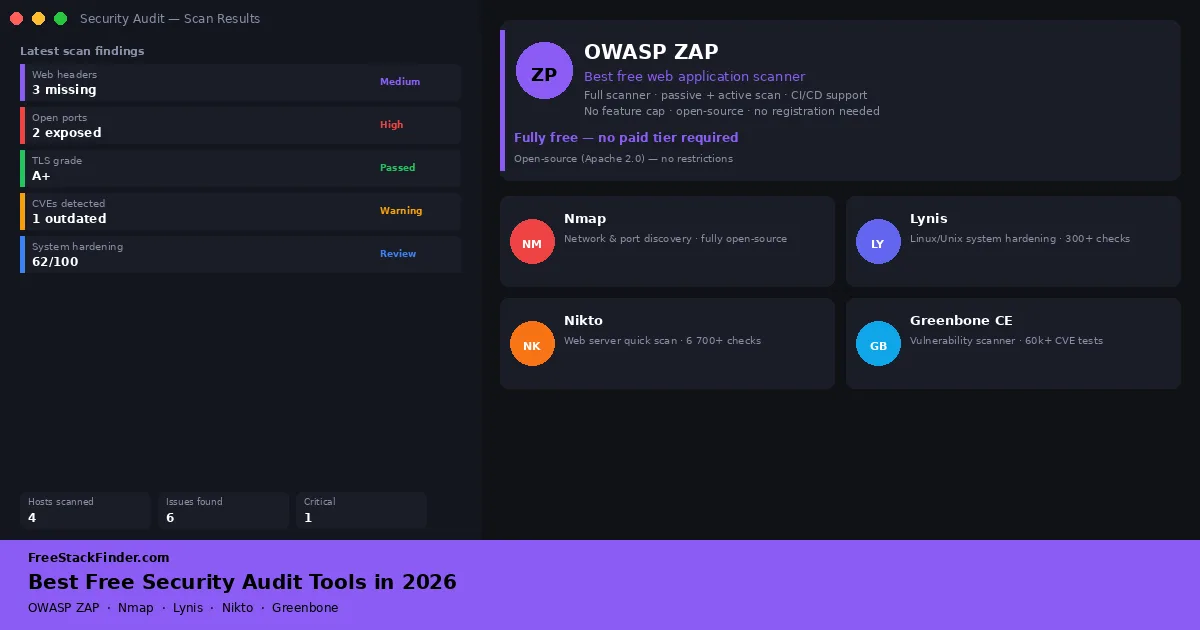
The tools below are open-source projects or free web services. OWASP ZAP scans web applications, Nmap maps hosts and ports, Lynis audits Unix-like systems, Nikto checks web-server configuration, and Greenbone Community Edition manages vulnerability scans across hosts. SSL Labs and SecurityHeaders.com offer narrower checks from a browser. Run only the tools that match the systems you own or have permission to test.
| Tool | Audit type | Free version | Skill level |
|---|---|---|---|
| OWASP ZAP | Web application scanning | Full scanner: no feature cap on free version | Intermediate |
| Nmap | Network and port discovery | Fully open-source, no restrictions | Beginner to intermediate |
| Lynis | Linux/Unix system hardening | Open-source, runs locally, no cap | Intermediate |
| Nikto | Web server quick scan | Open-source, no feature cap | Beginner to intermediate |
| Greenbone Community Edition | Vulnerability scanning (multi-host) | Open-source community build | Advanced |
| SSL Labs / SecurityHeaders | Website TLS and header checks | Free web-based tools | Beginner |
A small audit can expose weak services and headers
A web application can expose server details through a misconfigured header. A development service can remain reachable on an unnecessary port, and a Linux host can retain packages with known vulnerabilities. These conditions change after initial setup, which is why a repeatable audit matters.
Internet-facing services can be found through broad automated scanning as well as targeted attacks. Audit tools show which services, versions, and configuration details are visible from a chosen vantage point.
This guide focuses on tools useful for freelancers, solo developers, and small teams who run their own websites, VPSes, or small networks. Enterprise-scale tools that require a dedicated security team to interpret are out of scope.
OWASP ZAP: web application scanning
OWASP ZAP is an open-source web application security scanner maintained by the ZAP project. It can proxy browser traffic, crawl an application, passively inspect requests and responses, and actively test a target for common vulnerability classes.
There is no paid ZAP scanner tier. The project documents desktop use, Docker packages, an API, and an Automation Framework for repeatable scans.
Coverage depends on authentication, crawl configuration, JavaScript behavior, and the rules installed. Treat findings as leads to reproduce, not proof that every alert is exploitable. ZAP is useful in a developer workflow or CI pipeline, but it is not appropriate for a third-party site you do not have explicit permission to test.
Nmap: network and port discovery
Nmap is an open-source network discovery tool for identifying reachable hosts, open ports, services, and detectable operating-system or service versions.
The most practical use for freelancers and small teams is auditing their own server or VPS: finding ports that are open but should not be, confirming that only expected services are listening, and spotting misconfigurations like a development database accessible from the public internet.
Nmap covers host discovery, TCP and UDP port scanning, service and version detection, OS fingerprinting, and scripts through the Nmap Scripting Engine. The official NSE documentation notes that scripts range from discovery and version checks to intrusive tests, so select script categories deliberately.
Nmap only reports what the scanning machine can reach. A scan from one source address can miss rules that treat other networks differently, so choose the scanning vantage point to match the exposure being checked.
For a VPS or self-hosted application, nmap -sV -p- your-server-ip checks all TCP ports and probes detected services. Run it only against systems within the authorized scope.
Shared-hosting terms may prohibit scanning even when you control a site on the account. Check the provider’s rules and obtain permission before testing shared infrastructure.
Lynis: Linux and Unix system hardening
Lynis is an open-source security auditing tool for Linux, macOS, and other Unix-based systems. It runs on the host, checks available system components, and produces warnings, suggestions, and a hardening score. Its official overview explains that tests run opportunistically according to the tools and components found on the system.
A typical Lynis audit checks filesystem permissions, authentication configuration, SSH settings, installed software and package versions, logging and auditing configuration, network settings, and a range of OS-level security parameters. Each finding is categorized as a warning, suggestion, or informational note, with a brief explanation of why it matters.
The open-source client runs a broad local audit and writes detailed log and report files without requiring registration.
Lynis Enterprise adds centralized collection, reporting, and management for multiple systems. The open-source client is the relevant option for auditing one host locally.
Run lynis audit system on a Unix-like host when the goal is a structured list of hardening checks tied to that machine.
Lynis checks against a hardening baseline, so a fresh system may produce a long suggestion list. Prioritize exposed services, SSH settings, authentication, and findings tied to the system’s threat model instead of treating every recommendation as equally urgent.
Nikto: quick web server scan
Nikto is a command-line web server scanner with plugins for headers, outdated server software, exposed files, and other configuration checks. Its current plugin documentation shows the checks included in the standard and optional plugin sets.
The typical use case is a quick sanity check before deploying a new site or after a server reconfiguration. Nikto is not a replacement for OWASP ZAP (which does application-level scanning), but it is faster for catching server-level issues like directory listing enabled, outdated Apache/Nginx versions, or missing security headers.
The open-source scanner has a plugin-based test system and supports report formats including HTML and XML.
Nikto sends conspicuous scan traffic and does not try to evade detection. A web application firewall or bot-control service may block the scan before it completes, and findings still need manual verification.
Use Nikto for server-configuration checks and ZAP for application behavior; neither result should be treated as proof that a site is secure.
Greenbone Community Edition: structured vulnerability scanning
Greenbone Community Edition, also known through the OpenVAS scanner, is a vulnerability-management stack with a community feed. It runs as several services, provides a web interface for targets and scans, and produces findings grouped by severity.
Greenbone requires a supported host, enough memory for its services, and an initial vulnerability-feed synchronization before the first useful scan. Feed download time varies with the installation and network, and the server needs ongoing updates and maintenance.
Greenbone Community provides a vulnerability scanner, web management interface, scheduled scans, per-host reports, and the community feed. Greenbone Enterprise adds a commercial feed and managed features. The community feed cannot guarantee coverage of every recent or environment-specific issue, so verify important findings and supplement it when the system’s risk warrants it.
The Greenbone glossary says the Community Feed is updated daily without a warranty of completeness. The Enterprise Feed adds an SLA, additional enterprise-product checks, policy content, and report formats. Either feed still requires validation of important findings.
Greenbone fits recurring, multi-host scanning when someone can maintain the scanner services, feed synchronization, targets, and remediation process.
SSL Labs and SecurityHeaders.com: quick website checks
These two web-based tools are not scanners in the traditional sense: they test a live public website from an external vantage point and do not require any installation.
SSL Labs (from Qualys) tests the TLS configuration of any public HTTPS website and grades it A through F. It checks certificate validity, supported cipher suites, protocol versions (TLS 1.0/1.1 are deprecated), and a range of known TLS vulnerabilities. A result below A on SSL Labs is worth investigating before launch.
SecurityHeaders.com tests which HTTP response headers a website returns and flags missing or misconfigured security headers: Content-Security-Policy, X-Frame-Options, Strict-Transport-Security, X-Content-Type-Options, and others. Header changes need to be tested against the site’s scripts, embeds, redirects, and subdomains before deployment.
Both tools are free and require no account. They only work on publicly accessible URLs, so use a locally run scanner for internal or staging environments. ZAP’s passive scan can also report response-header issues it observes.
These browser checks provide a narrow first view of a public site’s TLS and response headers.
Who should not rely on these tools alone
Security audit tools surface findings, but they do not make security decisions. A scan result showing a CVE with a CVSS score of 7.5 could be a genuine critical issue or could be entirely mitigated by your network configuration. Interpreting scan output correctly still requires judgment.
For teams handling sensitive data, healthcare records, financial data, personal information at scale, tool-based self-auditing is a starting point, not a substitute for a professional penetration test or a formal compliance review. The tools above are well-suited to developers and small teams who want to close obvious gaps and build security hygiene into their workflow. They are not a replacement for a dedicated security engineer on systems where a breach would have serious consequences.
A practical starting point
Rather than trying to use all six tools at once, a workable first audit for a typical freelancer or small-team setup looks like this:
- Run SSL Labs and SecurityHeaders.com against your main domain. Both work from the browser and require no local installation.
- Run Nmap against your VPS or server to confirm only expected ports are open.
- If you manage a web application, run Nikto for a quick surface check, then ZAP for a deeper application scan.
- If you run a Linux server, run Lynis and work through the top-priority suggestions.
That sequence covers several common exposure categories without requiring a specialist scanner setup. Start with SSL Labs because it runs from a browser and produces a report you can save before changing the server configuration.
Run browser checks first, then scoped scans
Use OWASP ZAP for web application scanning, and pair Nmap with Lynis for network exposure and host hardening. SSL Labs and SecurityHeaders.com handle a quick public-site check without installation.
Security auditing is more effective when it is a recurring habit than when it is a one-off event. Pairing these tools with strong authentication practices, including a free password manager and two-factor authentication, reduces the practical attack surface more than any single scan.