Recovery determines the safest choice
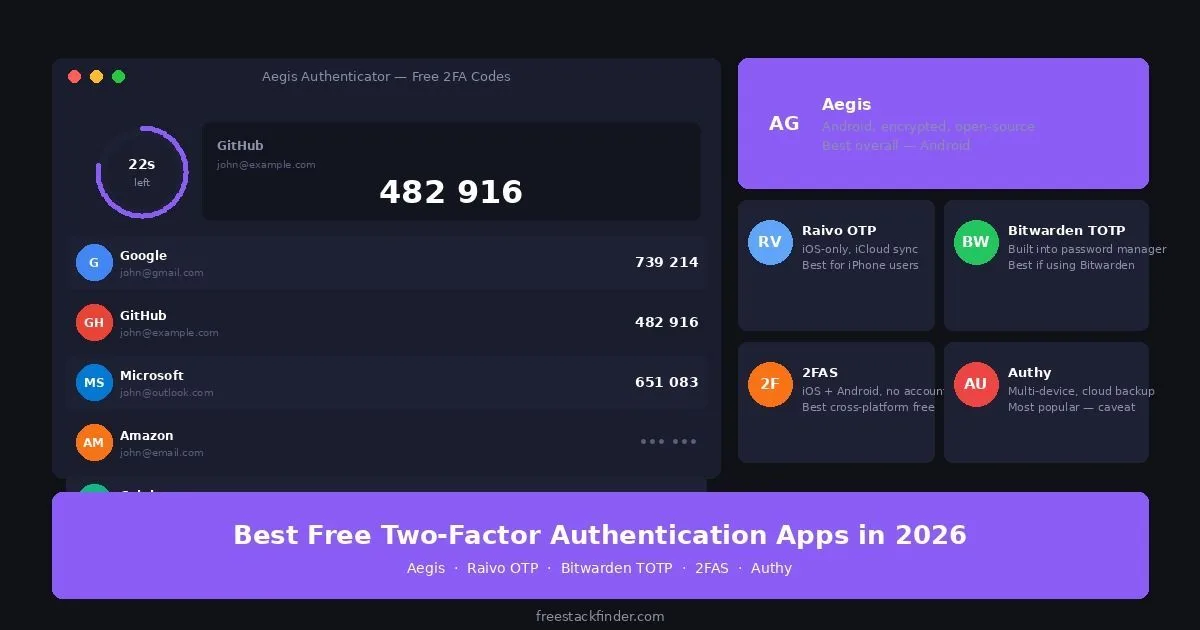
A 2FA app prevents a stolen password from being enough on its own. Its recovery path matters as much as its code screen: encrypted backups, device support, and exports determine what happens when a phone is lost. Aegis keeps an encrypted local vault on Android, Ente Auth syncs encrypted codes across mobile, desktop, and web apps, and 2FAS covers Android and iOS with optional platform-cloud backup. Bitwarden’s built-in generator keeps codes beside passwords, which is convenient but concentrates both factors in one account.
For team use, document who can recover access when a device is lost and who owns the service’s backup codes. Interface preferences come after that recovery plan.
A backup matters more than the authenticator brand
Losing a phone can also mean losing every code stored only on that device. Recovery then depends on each service’s backup codes or account-recovery process, and some accounts may not be recoverable. Modern Google Authenticator versions can sync codes through a Google Account, but local-only use is still available. Whatever app you choose, verify its backup before depending on it.
Useful features include an encrypted local vault, an encrypted backup that you control, and source code that can be inspected. No single feature replaces saved recovery codes from the accounts themselves.
For the password manager that stores the accounts your 2FA codes protect, see our free password managers guide. For the VPN that protects your connection when entering those codes on public networks, see our free VPN guide.
What matters before you migrate codes
The first question is backup. A 2FA app with no recovery path can be secure and still be a bad daily choice, because a lost phone can turn every protected login into a support ticket. Aegis provides encrypted backup exports you store yourself. Ente Auth offers end-to-end encrypted account sync plus encrypted local backups and exports. 2FAS offers optional encrypted cloud backup. The right model depends on whether you trust your own backup habits more than a provider-managed sync path.
The second question is device coverage. Aegis is Android-only. Ente Auth has Android, iOS, desktop, and web apps, while 2FAS combines Android and iOS apps with a paired browser extension. Authy remains available on mobile, but new users should weigh its closed-source model, phone-number dependency, lack of export, and discontinued desktop apps.
The third question is separation from your password manager. Keeping passwords and TOTP codes together in Bitwarden is convenient and can be reasonable for many personal accounts, but it weakens the second-factor model if the vault is compromised. For primary email, banking, password managers, and work admin accounts, a separate authenticator app or hardware key is the more conservative setup.
Before migrating, save backup codes from every important service and confirm you can log in after moving one account. Do not delete the old authenticator app until you have checked the accounts that matter most.
Five authenticator models and their recovery options
1. Aegis Authenticator: encrypted local vaults on Android
Aegis Authenticator is a free, open-source TOTP authenticator for Android with an encrypted local vault, flexible backup options, and a clean interface.
Aegis documents TOTP and HOTP generation, an AES-256-GCM encrypted vault, password or biometric unlock, encrypted exports, automatic backups to a location you choose, and imports from supported app formats. Some direct app-data imports require a rooted Android device, so do not assume an Authy transfer will work.
The limits are platform and convenience. Aegis is Android-only, has no desktop app, and does not silently cloud-sync your codes. You export an encrypted backup file and store it somewhere safe, which is a little more manual than account-based sync but gives you more control over recovery.
Aegis fits Android users who want local control over an encrypted vault and backup file.
2. Ente Auth: encrypted sync across mobile and desktop
Ente Auth is a free, open-source authenticator with end-to-end encrypted sync across Android, iOS, desktop, and web apps.
The Ente Auth product page documents end-to-end encrypted cloud backup and cross-platform sync. Ente also publishes its client and server code under the AGPL and lists the supported platforms in its public repository.
Account sync depends on Ente’s service, so keep an independent recovery path. Its export documentation covers password-encrypted exports, continuous local backups, and an offline mode for people who do not want account sync.
Ente Auth fits people who want the same encrypted code set on a phone and computer. Aegis remains the simpler option when an Android-only local vault is the goal.
3. 2FAS: mobile apps with optional cloud backup
2FAS is a free, open-source authenticator that works on both iOS and Android, with optional encrypted cloud backup and a browser extension for desktop use.
2FAS covers Android and iOS with TOTP and HOTP code generation, optional cloud backup, browser extensions, no required 2FAS account for basic use, and open-source mobile apps.
Backups use the cloud account already attached to the phone: iCloud on iOS and Google Drive on Android. Cross-platform moves require an exported backup file. 2FAS explains both paths. The browser extension must also be paired with the phone.
2FAS fits mixed-device households and anyone who wants browser-integrated 2FA codes without paying. Its main difference is desktop convenience: if you spend all day logging into services from a browser, copying fewer codes from your phone matters.
4. Bitwarden TOTP: best if you already use Bitwarden
Bitwarden’s integrated TOTP generator is a Premium feature worth considering if you already use Bitwarden as your password manager.
Bitwarden TOTP is included because password-manager users may want codes beside their passwords. Bitwarden Free does not include TOTP generation. Bitwarden Premium adds it for all accounts, stores codes in the encrypted vault, and supports browser-extension auto-fill through its open-source clients.
The trade-off is not price alone. TOTP requires the paid plan, Bitwarden is not a standalone 2FA app, and storing passwords plus 2FA codes in the same vault reduces the separation that makes a second factor valuable if the vault itself is compromised.
It fits Premium users who value consolidation and understand the reduced separation. Bitwarden lists Premium at $19.80 per year. For higher-risk accounts, a separate authenticator or security key retains a distinct second factor.
5. Authy: for existing mobile users
Authy is Twilio’s mobile authenticator for iOS and Android, with multi-device support between compatible mobile devices and optional encrypted backups.
Setup is tied to a phone number. Authy is closed-source, its cloud backup does not use your own storage provider, and its desktop apps are no longer supported.
Twilio ended the Windows, macOS, and Linux desktop apps on March 19, 2024. In July 2024, Twilio reported that an unauthenticated endpoint had let threat actors identify data associated with Authy accounts, including phone numbers; it said it found no evidence that Twilio systems or other sensitive data were accessed. Read the security notice before deciding whether the phone-number account model fits your risk.
Existing mobile users can continue if they accept those trade-offs. New users can compare the recovery and export controls in Aegis, Ente Auth, and 2FAS. Authy does not provide token export, so migration normally means disabling and re-enabling 2FA for each service. Keep Authy installed until every replacement code has been tested.
Compare backups, platforms, and exports
| App | Platform | Open-source | Backup | Best for |
|---|---|---|---|---|
| Aegis | Android only | ✅ Yes | ✅ Encrypted local | Best Android 2FA |
| Ente Auth | Android, iOS, desktop, and web | ✅ Yes | ✅ Encrypted account sync or local backup | Cross-device access |
| 2FAS | iOS + Android | ✅ Yes | ✅ iCloud or Google Drive | Mixed mobile platforms |
| Bitwarden TOTP | All (Premium) | ✅ Yes | ✅ Vault encrypted | Bitwarden Premium users ($19.80/yr) |
| Authy | iOS + Android | ❌ No | ✅ Authy cloud | Existing mobile users |
| Google Authenticator | iOS + Android | ❌ No | Optional Google Account sync | Familiar, basic option |
Save backup codes before moving anything
Many services generate one-time backup codes when you enable 2FA. Save them before leaving the setup screen. If you lose the authenticator and have no recovery code or alternate recovery method, regaining access may require a provider-specific account recovery process.
When enabling 2FA, download or print the backup codes immediately. Store them in the password manager vault rather than the authenticator app, since the codes are needed when that app is inaccessible.
For business or shared-team accounts, backup codes should not live only with one person. Store them in the team’s approved password manager or recovery process, limit who can view them, and document who is responsible for regenerating codes after use. A free authenticator app can protect the login, but account recovery still needs an operational owner.
Google Authenticator and account sync
Google Authenticator can store codes locally or sync them through a Google Account. Google’s transfer instructions cover exports between supported devices. Aegis and 2FAS provide open-source alternatives with different backup controls. Whichever path you use, verify the transferred codes before deleting the originals.
Complete your security stack with a VPN
2FA protects account logins. A VPN encrypts traffic between your device and the VPN server on networks you do not control. NordVPN covers up to 10 devices simultaneously.
Try NordVPN →Pair encrypted backups with offline recovery codes
Start with primary email, the password manager, and financial accounts. Aegis fits an Android-only local vault, Ente Auth provides encrypted cross-device sync, and 2FAS covers mobile devices with an optional browser bridge. Save recovery codes somewhere separate from the phone before moving the next account.
For a password manager, primary email, financial account, or administrator login, consider a FIDO2 or WebAuthn security key. A physical key can resist common credential-relay phishing that captures TOTP codes, provided the service supports that authentication method. Keep a registered spare or another documented recovery path.
Upgrade to a hardware security key
A FIDO2-compatible hardware key can resist common credential-relay phishing. Confirm that each important service supports security keys, and register a recovery method before relying on one.
Shop hardware security keys on Amazon →