Drafting and editing need different tools
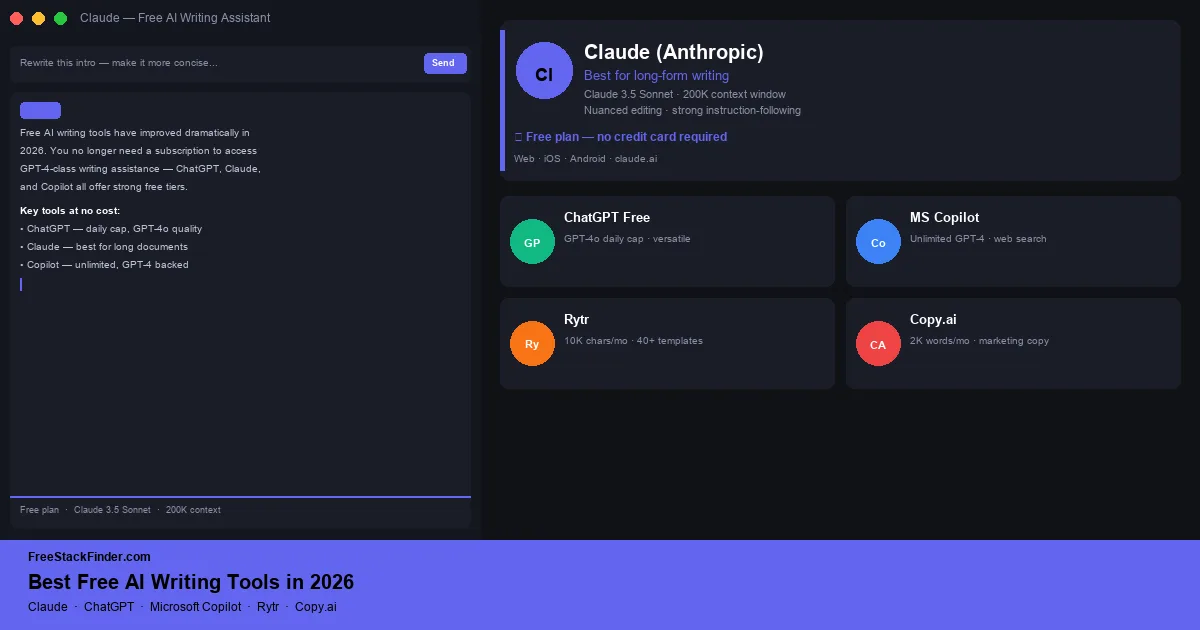
The tools split by writing task. Claude suits document-heavy editing, ChatGPT covers general drafting, and Microsoft Copilot adds web-grounded work inside Microsoft services. Rytr uses short-form templates, while Google Gemini connects with supported Google services. A separate grammar or readability check still belongs at the end of the process.
ChatGPT’s free tier covers general drafting and brainstorming. Claude free is better suited to long documents and edits with many constraints. Microsoft Copilot fits web-grounded work inside Microsoft apps. Rytr provides short-form templates with a current free allowance of 10,000 generated characters per month. Google Gemini is the better fit when the source material already lives in supported Google services. Before publishing a draft, use a free grammar checker for a separate language pass.
AI writing limits change quickly. Treat model names, file upload rules, image credits, and monthly generation caps as things to verify on the product’s current pricing page before you depend on them.
What free writing tiers can cover
Free writing tools are most useful for turning a blank page into a draft that still needs editing. The plans below can handle that job without a subscription, but their usage caps and data policies differ.
Free tiers can draft a cold email, produce a first-pass outline, rework a weak section, generate headline options, or shorten a long document into a brief. The output still needs a factual and editorial check before publication.
The main limits are message or character caps, file handling, model access, and context length. Paid plans raise those limits and may add priority access, projects, or document integrations. Payment starts to make sense when a cap repeatedly interrupts paid work.
Five free writing tools compared
1. ChatGPT free
ChatGPT free is OpenAI’s conversational AI assistant, with a free plan that includes limited access to current ChatGPT models and tools.
What’s free:
- Limited access to OpenAI’s current general-purpose models
- Long context window for sustained drafting sessions
- Web browsing on free tier for research assistance
- Image generation with free-plan limits
- Voice mode (text-to-speech) on mobile apps
- Access to custom GPTs while free-model limits are available
Where the cap kicks in:
- Higher file upload, data analysis, image, voice, and research limits
- Full paid-plan project and model access
- Priority access during heavy demand
Choose ChatGPT for: General drafting, editing, brainstorming, and summarising across several document types.
ChatGPT covers more task types than the template-led tools below, including blog drafts, emails, social copy, cover letters, and document revision. OpenAI currently describes everyday text chats as unlimited subject to abuse safeguards, while files, images, voice, and analysis have separate limits. The Free Tier FAQ is the reference for those boundaries.
2. Claude free (Anthropic)
Claude free (Anthropic) is Anthropic’s AI assistant, best suited to long documents and edits with detailed constraints.
What’s free:
- Access to Claude across web, mobile, and desktop
- Long-context conversations for working with drafts and documents, subject to current free limits
- File upload for document editing and summarisation
- Strong instruction-following for tone, style, and length constraints
- Web access on the free plan
Where the cap kicks in:
- Usage limits: Claude free throttles after sustained use, and the limit depends on prompt length, attachments, current demand, and model choice
- More model choice, higher usage, projects, and priority access are paid-plan advantages
Choose Claude for: Long documents, essays, reports, scripts, and proposals that need structural editing across the full draft.
Claude can keep a long draft in context while following instructions about tone, formatting, or reading level. Its usage allowance varies with conversation length, attachments, demand, and model choice. Anthropic explains those variables in its usage guidance. Keep a dedicated grammar tool for the final language pass.
3. Microsoft Copilot
Microsoft Copilot is Microsoft’s AI assistant, available free on the web, in Edge, and through Microsoft apps.
What’s free:
- Writing, brainstorming, summarising, and research help
- Web-grounded responses for current information
- Image creation and Designer-related features with current free-plan limits
- Integration with Edge, Windows, Bing, and Microsoft 365 web surfaces
- Available on iOS, Android, and web
Where the cap kicks in:
- Deeper Microsoft 365 integration in desktop Word, Excel, PowerPoint, Outlook, and OneNote belongs to eligible paid plans
- Free usage is subject to Microsoft’s current credits, feature limits, and peak-time access
- Paid plans get preferred access and higher usage
Choose Copilot for: Web-grounded work inside Edge, Windows, Outlook on the web, or Microsoft 365 web apps.
Copilot combines web search with writing assistance inside Microsoft’s web and browser surfaces. It fits research-led drafts that need links back to current sources. Desktop Office integration and higher usage sit behind eligible paid plans, so verify the current free credits before relying on it for a long session.
4. Rytr
Rytr is a dedicated AI writing assistant designed for structured content creation: emails, product descriptions, social posts, blog outlines, and marketing copy.
What’s free:
- 10,000 generated characters per month
- Template-driven generation for emails, blog intros, ad copy, social captions, and more
- Pre-programmed tone options
- Chrome extension for writing in Gmail, LinkedIn, and other web apps
Where the cap kicks in:
- The character allowance resets monthly
- Unlimited generation requires a paid plan
- Language options, tone matching, custom use cases, and plagiarism checks are more limited on the free tier
- Custom use cases are locked to paid tiers
- Priority queue for generation speed goes to paid users
Choose Rytr for: Short-form emails, product listings, ad headlines, and other jobs that fit a guided template.
Rytr asks for a use case, tone, and context fields before generating copy. That structure helps with cold emails, AIDA copy, and product descriptions, but the 10,000-character allowance restricts long documents. Check Rytr’s pricing table before relying on the monthly allocation. If organizing source material is the bottleneck, set up a note-taking app before paying for more generated characters.
5. Google Gemini
Gemini is Google’s general-purpose assistant, with free access through the Gemini web and mobile apps.
Free accounts can use Google’s current Flash and Pro models at standard limits. Canvas, file analysis, connected apps, and image generation are available where the account and region support them. A 32,000-token context window applies to accounts without a Google AI plan.
Google’s paid plans raise usage and context limits and add access to selected media and scheduling features. Availability can change with capacity, testing, account type, and region, so use Google’s current Gemini limits page instead of relying on a fixed daily number.
Gemini fits drafting work that starts in Google services or needs files from Drive. Check the connected-app permissions before using private mail or documents as source material.
Compare prompts, limits, and workflow fit
| Tool | Free limit | Best use case | Prompting style |
|---|---|---|---|
| ChatGPT free | Separate tool limits | General drafting, versatile | Open-ended chat |
| Claude free | Session-based usage cap | Long-form documents, editing | Open-ended chat |
| Microsoft Copilot | Microsoft-managed limits | Research-backed writing, Office users | Open-ended + search |
| Rytr | 10,000 chars/month | Structured short-form copy | Template-driven |
| Google Gemini | Standard limits that can vary | Google-connected drafting | Open-ended chat |
When to pay for an AI writing tool
A paid plan makes sense once you are generating content at a pace where the free caps regularly interrupt your workflow. If you are a full-time content creator, agency writer, or marketer producing multiple pieces of content every day, hitting a daily cap and switching tools when one runs out may cost more in time than the subscription price.
Paid ChatGPT and Claude plans both offer much higher usage limits, more model choice, and paid-plan workflow features. For professional writers who use AI daily, those upgrades can be worth the cost. For occasional users, a few drafts per week, the free tiers above handle the workload without a subscription.
The other case for paid is integration. Eligible Microsoft 365 and Copilot plans add AI features inside Word, Excel, PowerPoint, Outlook, and OneNote. If your work lives in Microsoft 365 and a separate browser tab slows it down, verify which current plan includes the specific app features you need.
A drafting tool still needs an editing pass
Start with ChatGPT free for general drafting or Claude free for document-heavy editing. Microsoft Copilot fits web-grounded work inside Microsoft services, Rytr provides structured short-form templates, and Google Gemini connects to supported Google services. Pick the surrounding workflow first, then check the current usage boundary.
Whatever tool you use to draft, clean the result before publishing. See our best free Grammarly alternatives guide for grammar and style checkers that pair well with AI-generated content. If you are organizing a writing project across multiple drafts and documents, see our best free note-taking apps guide to keep your research and ideas structured before they go into the AI. If you want to compare general-purpose AI assistants beyond dedicated writing tools, including Google Gemini and Perplexity, see our free ChatGPT alternatives guide.