Subject coverage and license terms come first
None of these four libraries requires attribution, and all of them permit broad commercial use under their own licenses. They differ in what else a search returns: Unsplash stays with editor-selected photography, Pexels adds video, Pixabay adds vectors, illustrations, and music, and Burst focuses on e-commerce shots. Check the asset page when a recognizable person, logo, artwork, or property appears. Paid libraries become easier to justify when model releases, specialist imagery, or exclusivity matter.
Where free libraries fall short
The main limits are specialist subject coverage, exclusivity, and documentation for people or property shown in an image. A copyright license lets you use the photo itself, but it does not automatically clear a visible trademark, artwork, private location, or person’s likeness for every commercial context.
Free libraries work well for blog headers, presentations, social posts, and general website imagery. Advertising, packaging, medical subjects, and other sensitive uses deserve a closer rights check. Unsplash explains this distinction in its guide to releases and trademarks.
Four free stock libraries compared
1. Unsplash: best overall for photography quality
Getty Images owns Unsplash, but the free library still uses its own Unsplash License, and its photos are editor-selected.
Unsplash’s free library gives you:
- A large library of high-resolution photos
- No attribution required
- Free for personal and commercial use
- Download without registration
- API access for developers and integration
- Editor-selected collections by subject and mood
The licensing caveats are specific rather than hidden:
- No video content
- The Unsplash License prohibits aggregating photos into a competing stock service
- Cannot guarantee exclusivity: the same image may appear on competitor sites
- Model releases are not guaranteed for every image
It works well for blog headers, lifestyle imagery, architecture, nature, and business photography where style matters more than exclusivity. The practical mistake to avoid is using a recognizable person or private property in an ad campaign without checking release requirements first.
The homepage and editor-selected collections provide another way to browse when a keyword search is too broad. Search by subject first, then check the individual image for recognizable people, brands, artwork, or private property.
Browse Unsplash (opens in a new tab)
2. Pexels: best for photos and video in one place
Pexels provides photos and videos under its own content license. The license permits many personal and commercial uses without attribution, subject to its stated restrictions.
Pexels gives free users:
- Photos and video clips in one catalog
- Pexels License: free for all personal and commercial use, no attribution required
- Download without account (account adds collections and save features)
- API access for developers
- Editor-selected collections
Its main limits are scope and saturation:
- No vector files or illustrations
- Popular images appear heavily across competitor sites over time
Pexels saves a second search when the same campaign needs still photos and video clips. Social media teams producing Reels, TikTok posts, YouTube thumbnails, or quick landing-page visuals get more mileage from a single photo-and-video library than from bouncing between stock sites.
The video library is Pexels’ clearest difference from Unsplash. Photos and clips use the same site license, which makes it easier to keep the source and terms together for a mixed-media project.
Browse Pexels (opens in a new tab)
3. Pixabay: best for the broadest media library
Pixabay goes beyond photography to vector illustrations, clipart, videos, and music, all under the Pixabay Content License.
Pixabay is the broadest free-media option:
- Photos, vector illustrations, clipart, videos, GIFs, and music
- Pixabay License: commercial use, no attribution required
- Download without account (registration enables larger file sizes)
- Multilingual search interface
The trade-off is consistency:
- Photo quality is more variable than Unsplash: the library is larger but less consistently reviewed
- Some content is older and stylistically dated
- Interface has more advertising than Unsplash or Pexels
That breadth helps when a project needs more than photography: icons for a slide deck, illustrations for an email, background music for a short clip, or a mix of media types from one source.
The same breadth means more sorting, so inspect the item page and license details before publishing.
Browse Pixabay (opens in a new tab)
4. Burst (by Shopify): best for e-commerce and product imagery
Shopify runs Burst for e-commerce businesses and entrepreneurs, so its photos are styled for product, lifestyle, and business marketing.
Burst’s free library is focused on commerce:
- High-resolution photos organized around product and business subjects
- Free for all commercial use, no attribution required
- E-commerce specific collections (fashion, food, tech, home goods, beauty, wellness)
- Download without account
- Business-niche categories not well-covered on general platforms
The limit is coverage:
- Smaller library than Unsplash or Pexels
- Narrow subject focus: general photography coverage is limited
- No video content
Product pages, store banners, email campaigns, and small-business social posts are its main use, since the photos are staged as marketing imagery rather than general editorial photography.
The e-commerce focus includes models with products, styled workspaces, and food photography. Browse Burst before a general library when those are the subjects you need.
Browse Burst (opens in a new tab)
Library and media comparison
| Site | Photos | Videos | Vectors | Attribution | Commercial | Best for |
|---|---|---|---|---|---|---|
| Unsplash | ✅ Yes | ❌ No | ❌ No | Not required | ✅ Yes | Editor-selected photography |
| Pexels | ✅ Yes | ✅ Yes | ❌ No | Not required | ✅ Yes | Photos and video together |
| Pixabay | ✅ Yes | ✅ Yes | ✅ Yes | Not required | ✅ Yes | Mixed media types |
| Burst | ✅ Yes | ❌ No | ❌ No | Not required | ✅ Yes | E-commerce imagery |
Understanding free stock photo licenses
All four sites above have terms that permit many commercial uses without required attribution, but the restrictions differ.
Site-specific licenses: Pexels and Pixabay use their own content licenses rather than applying CC0 to every current download. Both permit many commercial uses without attribution, but they restrict uses such as selling an unmodified copy, redistributing content through another stock library, or implying endorsement. Read the Pexels license and Pixabay license summary before using an image in merchandise, branding, or advertising.
Unsplash License: Unsplash permits free commercial and non-commercial use without attribution. It prohibits selling an image without significant modification and compiling images to reproduce a competing service. People, brands, artwork, and property shown in a photo can still carry separate rights, so check the current Unsplash license for the planned use.
Model and property releases: Do not assume a free download includes every permission needed for a recognizable person, private property, artwork, or trademark. Some paid libraries make release documentation easier to verify, but the planned use still determines which permissions are required.
Before publishing client or paid campaign work, check the license page for the specific site and save a note of where the image came from. That small habit matters more than attribution: it gives you a record if a client, ad platform, or reviewer asks where the image rights came from later.
When to use paid stock photography
Free stock sites cover many routine digital projects. Paid licensing becomes relevant in cases such as:
- Medical, legal, or editorial imagery: specific procedures or news events where clearance documentation matters
- Exclusivity: brand campaigns where competitors must not use the same image
- Licensing with indemnification: organizations whose legal review requires it
- Specialist subjects: machinery, regulated environments, or demographics that the free catalogs do not cover well
For blog posts, social media, website design, and presentations, search the free sites first and review the chosen item’s license before publishing.
Unsplash is the only one of the four with its own paid tier, so the other paid routes are separate libraries. Current US pricing, checked in September 2026:
| Library | Paid option | Price | Catalog and license |
|---|---|---|---|
| Unsplash | Unsplash+ | $4 a month billed yearly at a launch discount, against a $12 list price | Members-only images, cropping and background removal, enhanced legal protections, no ads |
| Pexels, Pixabay, Burst | None | Free | All three libraries are free to download from |
| Adobe Stock | 10 credits a month | $29.99 a month on an annual plan billed monthly | Ten standard assets a month with rollover for up to 12 months, and indemnification up to $10,000 |
| Envato Elements | Core | From $16.50 a month | Unlimited downloads of photos, video, fonts, and design templates |
Adobe Stock’s rate is a US dollar price, and the tax added depends on the buyer’s country. Its annual plans carry a fee of half the remaining commitment if cancelled after 14 days, so a one-off project may fit a credit pack better than a subscription.
Start with the license, then choose the library
Check the license attached to the chosen image before it moves into client work, advertising, merchandise, or a logo, and keep the source note with the project files. If none of these four libraries covers the subject, a paid library’s specialist catalog is the next place to look.
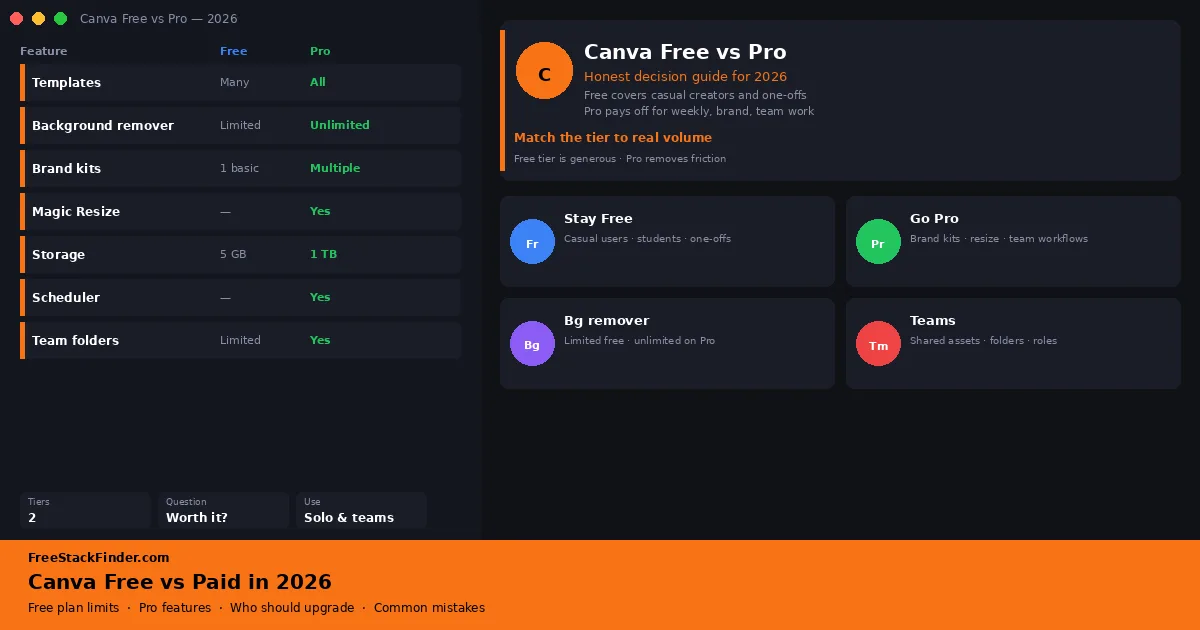
Finished graphics come from an image editor, a vector tool, or a template editor, each compared in its own guide, and interface mockups from the free Figma alternatives. Canva users deciding whether to upgrade can check where Pro starts to pay in the Canva Free vs Paid guide.