Licensing and hosting narrow the list
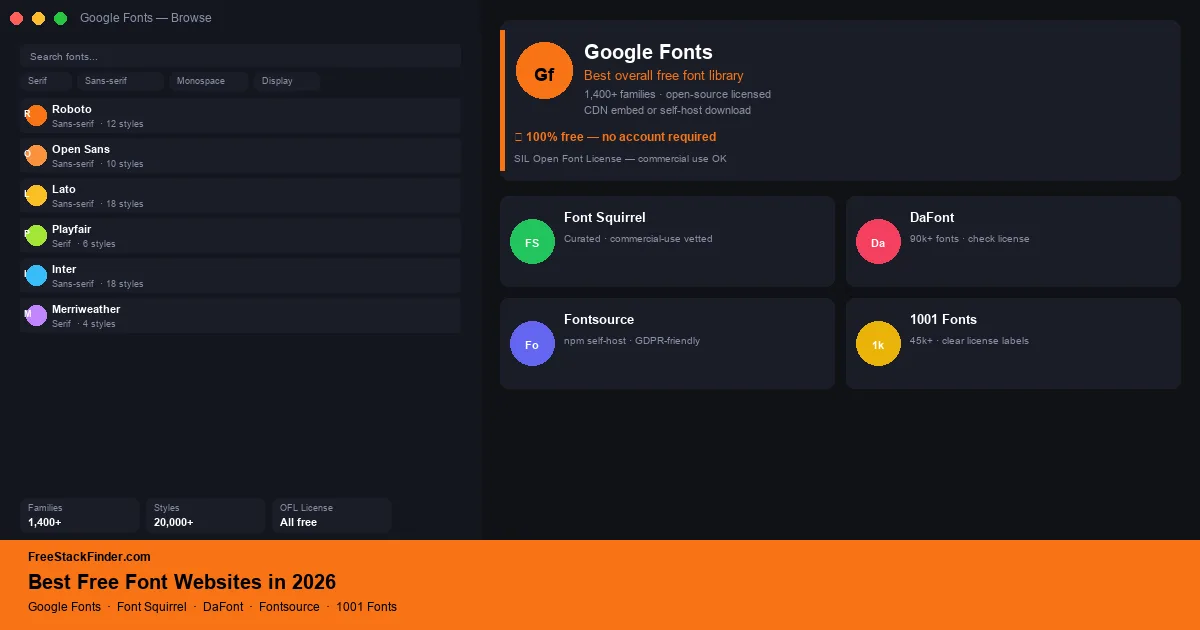
Start with Google Fonts for open-source web and design families. Use Font Squirrel when commercial-use filtering matters, or Fontsource when the font files need to be self-hosted or installed through npm. DaFont offers more novelty, but every download needs a license check. 1001 Fonts is useful for browsing as long as the individual license matches the project.
The font license travels with the project
Using a font file found through a general search can leave its license unclear. Google Fonts uses open-source licenses across its catalog, while mixed repositories such as DaFont include fonts marked for personal use only. Font Squirrel focuses on commercial-use fonts, but its own FAQ still tells users to read the license supplied with each family.
The sites below approach the problem differently. Some maintain an open-source catalog, some package files for developers, and others rely on per-font labels. Pick the source by license and hosting needs before browsing styles.
For client or brand work, keep a small record of where each font came from and what license applied when you downloaded it. That does not need to be complicated: a project note with the font name, site, license label, and download date is enough for most small projects. The habit matters most when a mockup becomes a real logo, website, app, or product package.
Five font sources and their license models
1. Google Fonts: best overall free font library
Google Fonts is a font hosting service whose catalog uses open-source licenses. Google’s font FAQ confirms that the fonts can be used commercially, in logos, and in print.
Google Fonts gives designers and developers:
- Serif, sans-serif, monospace, display, and handwriting families
- Web embedding via Google CDN (single
<link>tag) - Direct download for desktop use
- Variable fonts with adjustable weight, width, and optical size axes
- Google Fonts Knowledge: editorial guides on type pairings and usage
The limits are about hosting choice and style range:
- All fonts must be from the Google Fonts catalog: no custom font hosting
- Privacy-conscious projects may prefer to self-host fonts rather than load from Google’s CDN
- The catalog leans toward practical workhorses; niche editorial display fonts are sparse
Use Google Fonts for websites, app prototypes, pitch decks, and brand systems where licensing clarity matters more than having a rare foundry typeface.
Every family in the library has an open-source license, and the site provides both hosted CSS and downloadable files. Start here when a web project does not require a typeface outside the catalog.
2. Font Squirrel: best for commercial-use filtering
Font Squirrel is a reviewed library that focuses on fonts marked for commercial use. It also maintains a Webfont Generator for converting appropriately licensed files to web formats.
Font Squirrel is built around commercial clearance:
- A catalog selected around commercial-use permissions
- Font formats: OTF, TTF, and web font kits (WOFF, WOFF2)
- Webfont Generator: upload any licensed font and download a complete web font kit
- Font identifier tool for matching fonts from images
- Filtering by classification, tags, and designer
The catalog is smaller and more download-focused:
- Smaller selection than Google Fonts or DaFont
- No CDN hosting: all fonts are download-only for self-hosting
- Variable fonts are sparse across the catalog
Choose Font Squirrel when you want to filter out obvious personal-use-only downloads. Read the license included with the selected font before using it in client work, branding, an app, or a product.
The catalog reduces the amount of sorting required, but it does not replace a license check. The Webfont Generator is useful when an existing font license permits web conversion and self-hosting.
3. DaFont: best for design exploration and personal projects
DaFont is a community-driven repository with a wide range of display and novelty typefaces. Its catalog mixes different permissions, including fonts limited to personal use.
DaFont supports broad browsing:
- A large collection of downloadable families
- Downloadable TTF files
- Preview text with any custom string
- Tags and categories for filtering by style
- Author pages and donation links
Its risk is licensing inconsistency:
- Many fonts are “free for personal use only”: commercial use requires contacting the designer
- No web font hosting or CDN
- Font quality varies widely from professional to rough amateur work
- License labels are often unclear or missing on individual font pages
Use DaFont for mood boards, personal projects, and early visual exploration where variety matters and you have time to verify the license before shipping.
The catalog is useful for narrow display styles such as vintage letterpress, retro science fiction, or hand-drawn brush scripts. Treat every download as personal-use-only until the font’s own license states otherwise.
4. Fontsource: best for developers self-hosting open-source fonts
Fontsource is an open-source project that packages Google Fonts and many other open-source font families as individual npm packages. Fontsource lets developers self-host web fonts without loading from a third-party CDN.
Fontsource is for developers who want font files in the build:
- Individually packaged open-source font families
- Self-hosting eliminates the Google CDN privacy concern for GDPR compliance
- Tree-shaking support: only the weights and subsets you import are bundled
- Variable font support
- Works with React, Next.js, Astro, Vite, and any npm-based project
- Individual fonts retain their original OFL/Apache open-source licenses
It assumes a modern development workflow:
- Requires npm and a build pipeline, not suitable for plain HTML sites
- No web-based browsing interface comparable to Google Fonts
- No font preview or exploration tools
Use it when you are building with React, Next.js, Astro, Vite, or another npm-based stack and want open-source fonts without an external CDN request.
Fontsource keeps font loading inside the application’s own build. Import only the required family, weight, style, and subset so the project does not ship unused font files.
5. 1001 Fonts: best for browsing a large mixed library
1001 Fonts is a mixed community repository that labels downloads by license category, including “100% Free” and “Free for personal use.”
1001 Fonts provides a mixed catalog:
- Per-font license labels
- Preview text rendering with any custom string
- Font categories, styles, and popularity filters
- Direct download in TTF and OTF formats
- Designer attribution and external links
You still need to read the license line:
- Still requires checking individual licenses: both license types coexist throughout the catalog
- No CDN or web font hosting
- Quality ranges from professional typefaces to hobbyist work
Use it when DaFont feels too messy but Google Fonts feels too narrow. It is especially useful for personal projects, mockups, and early brand exploration.
The visible labels help with the first pass, but the font’s own license remains the controlling document. Save a copy of it with the project files.
Compare license handling and delivery
| Site | License model | Delivery | Best for |
|---|---|---|---|
| Google Fonts | Open-source catalog | ✅ CDN + download | Web projects, general use |
| Font Squirrel | Commercial-use focus; read each license | ❌ Download only | Client and product work |
| DaFont | Mixed; check each font | ❌ Download only | Exploration, personal projects |
| Fontsource | Open-source packages | ✅ npm self-host | Application developers |
| 1001 Fonts | Mixed; check labels and license | ❌ Download only | Browsing and mockups |
When free fonts are enough and when to pay
Free fonts cover many commercial projects when their licenses permit the planned use. A paid license becomes relevant when a brand needs a particular foundry family, broader embedding rights, custom lettering, or clearer legal support.
For web projects, Google Fonts or Fontsource can cover body text and headings without a font purchase. For print and brand identity work, choose on fit and license terms rather than assuming paid type is necessary.
Good typography works alongside good visuals. See our guide to free stock photo sites for photography resources and our free Canva alternatives for quick graphic design that pairs naturally with custom font selections. For custom lettering and vector logo work, see our free Illustrator alternatives.
Open licenses first, mixed catalogs second
Start with Google Fonts when an open-source catalog and hosted CSS fit the project. Use Fontsource to bring open-source font files into an application build. Font Squirrel helps narrow a commercial-use search, while DaFont and 1001 Fonts require a per-font license check before work leaves the mockup stage.
For design work beyond type, see our free Figma alternatives for UI prototyping and our free Canva alternatives for quick graphic design without the font hunt.