Canva combines templates, stock assets, and simple editing in one browser tool. Alternatives become relevant when the needed job is deeper image editing, mobile creation, AI-assisted drafts, or occasional design without Canva’s paid workflow features.
That does not mean every free design tool is a real Canva replacement. Some are stronger for social posts. Some are really photo editors with design features attached. Some are best used as fast idea generators rather than full layout tools.
This guide focuses on tools with a current free entry point and explains where each one has more control or a narrower workflow than Canva.
Template speed versus editing control
The right alternative depends less on which tool “looks like Canva” and more on what kind of design work you do. Social posts and templates? Adobe Express. Layered image editing? Photopea. AI-assisted first drafts? Microsoft Designer. Quick browser cleanup? Pixlr. Mobile-first creation? Picsart. Each section below explains where the tool fits and where it breaks down.
For solo creators, Adobe Express is the closest match to Canva’s template-led workflow. If the work depends on layers and masks, Photopea is the better fit. Microsoft Designer provides AI-assisted starting points inside a Microsoft account. Pixlr focuses on quick browser edits, while Picsart is built around mobile creation.
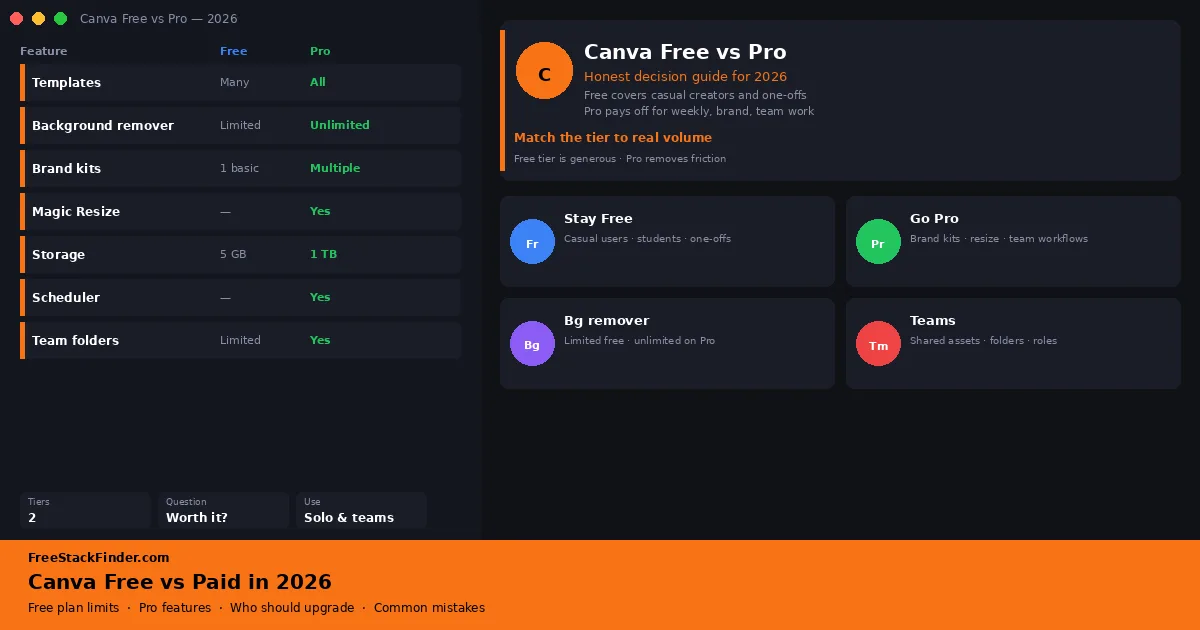
Canva Pro is still worth paying for if you repeatedly rely on background removal, shared brand assets, premium content, and smoother team workflows. Canva’s plan boundaries around AI credits, background removal, storage, and brand tools can change, so verify the current plan page before moving a team or campaign into Canva.
| Tool | Best for | Free plan | Main limitation |
|---|---|---|---|
| Adobe Express | Most solo creators | Templates, editing, and common export formats | Fewer brand controls than Canva Pro |
| Photopea | People who need real image editing | Browser-based layered editor | No true team features or brand kits |
| Microsoft Designer | AI-assisted drafts inside Microsoft | AI-assisted design starters within usage limits | Limited control over paths, typography, and complex layouts |
| Pixlr | Browser-based quick fixes | Photo edits and basic design | Ad-supported free tier with feature gates |
| Picsart | Mobile-first creators | Mobile editing tools with paid effects mixed in | Many effects gated behind Picsart Gold |
Canva alternatives specialize by workflow
The main issue is usually not quality. Canva is good. The issue is fit.
If you design a few times a month, paying for the full Canva Pro workflow can feel excessive. If you edit images more deeply than you build templates, Canva can feel shallow. If you work mostly from a phone, some alternatives feel faster. And if you want help generating first drafts, newer AI-assisted tools can get you to a starting point faster than manual template browsing.
That is why the best alternative depends less on “Which one looks most like Canva?” and more on “What kind of design work do you do?”
What to look for in a free Canva alternative
A few things matter more than a tool’s template count when you compare it against Canva on a free plan:
- Export formats you’ll use. PNG, JPG, PDF, and GIF are table stakes. SVG, MP4, and bulk-resize matter more for marketers and creators who repeat the same design across formats.
- A free tier that isn’t a demo. Some tools advertise generous free limits but gate the formats and resolutions you need behind a paywall. Test your real export before committing.
- Workflow fit. Template-first tools such as Canva and Adobe Express prioritize ready-made layouts. Layer-based editors such as Photopea require more manual work but provide finer control over an image.
- Where your work lives. Browser-only tools are convenient on a Chromebook or a borrowed laptop. Desktop or mobile apps matter more if you work offline or on the go.
- Ad and upgrade pressure. Ads and repeated upgrade prompts get in the way even when the core editor remains free.
Five Canva alternatives for different workflows
1. Adobe Express: best overall free Canva alternative
Best overallAdobe’s browser and mobile design app handles social posts, flyers, presentations, short video, and light photo editing. The free tier includes templates, basic photo, video, and document tools, common export formats, a selection of Adobe Stock assets, and limited storage. Check the current Adobe Express plan page if storage, scheduling, or generative credits determine the decision.
The gaps compared to Canva Pro are intentional. The deeper brand-management tools, bulk resize, stronger publishing controls, the full premium asset library, and unlimited access to Adobe’s more advanced AI and editing features all sit on paid plans. Adobe Express does not offer as many paid tools as Canva, but the free version fits solo creators, students, and small businesses making social graphics, flyers, simple promos, and presentation visuals.
2. Photopea: best for layer-based image editing
Best for image editingPhotopea is a browser-based editor with layers, masks, PSD support, and much deeper image editing than Canva-style template tools. The free experience gives you layer-based editing, PSD import and export, strong text and transform tools, and fast browser access with no install: at the cost of in-page ads and a steeper learning curve if you have never used a layered editor before.
Choose it when Canva’s template workflow does not provide enough control over thumbnails, layered graphics, or files that started in Photoshop. It does not replace Canva’s stock assets, brand controls, or team-oriented template workflow.
If that sounds like your workflow, our full free Photoshop alternatives guide goes deeper.
3. Microsoft Designer: best for quick AI-assisted design drafts
Best for AI draftsMicrosoft Designer is Microsoft’s design and image editing app, available free with a Microsoft account. The free experience leans on AI-assisted image and design generation (within current usage limits), with background blur and removal, crop, text, and resize tools, and social-media-friendly layouts.
Use it when generating a starting layout is more useful than building one from scratch. Manual layout control is lighter than in Canva or Adobe Express, and Microsoft can change AI credits or feature availability with its plan structure. It fits Microsoft account holders who want a draft they can refine, not a full vector or page-layout editor.
4. Pixlr: best browser fallback for quick design and photo cleanup
Best browser fallbackPixlr is a web-based suite that mixes light design tools with stronger photo editing than most template-first apps. The free version gives you browser-based editing, fast photo cleanup tools, simple layouts, templates, text effects, and enough depth for thumbnails, banners, and quick promo graphics.
Ads and upgrade prompts are part of the free experience. Paid tiers reduce these interruptions and include more AI tools, but Pixlr still does not bring its tools together as well as Adobe Express. Choose it when the job moves between layout and image cleanup in one browser tab.
5. Picsart: best for mobile-first creators
Best for mobilePicsart is a mobile creative app for photo effects, collages, stickers, and social assets. Choose it when the work starts and ends on a phone; desktop-first tools offer more control but require a less direct mobile workflow.
The free experience promotes premium assets and upgrades, and it is weaker for structured documents, presentations, and repeatable brand layouts. Its mobile editor is the reason to consider it when the workflow begins with a phone photo and ends with a social post.
When Canva Pro starts paying for itself
Canva Pro still earns its keep for three kinds of users:
- teams that need shared brand assets and smoother collaboration
- people who use background removal repeatedly rather than occasionally
- businesses publishing across many sizes and channels every week
If that is your workflow, the paid upgrade saves real time. If you are a solo creator making occasional graphics, the alternatives above are usually enough.
Templates, layers, or mobile editing
Start with Adobe Express for broad template work, Photopea for layered image editing, and Microsoft Designer when Microsoft integration matters. Pixlr covers quick browser edits, while Picsart is oriented toward phone-first creation.
Once you pick a design tool, pair it with better assets. Our guides to free stock photo sites, free font websites, and free Figma alternatives all plug naturally into the same workflow.
Still on the fence about whether the Canva free plan is enough for what you do? Our Canva Free vs Paid decision guide walks through who should stay free, who should upgrade, and the common mistakes that push people to the wrong tier.