A custom domain changes the answer
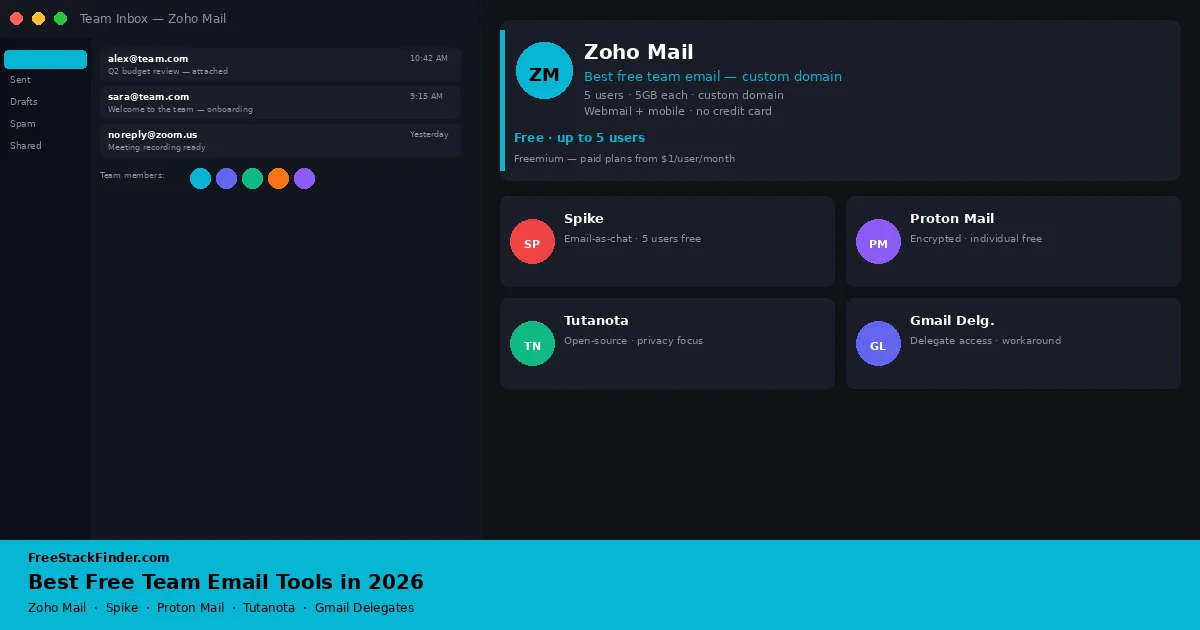
A free team inbox is usually either a small custom-domain plan or a workaround built from individual accounts. Zoho Mail supports up to five custom-domain users where its free plan is available. Spike provides a small Teamspace with addresses on its own domain, while Proton Mail and Tuta remain individual accounts on their free tiers. Gmail delegation can work for a tiny Google-based team, but it does not create a managed business-email system.
Solo operators mostly need a professional address that takes little work to set up. Small teams need user accounts, permissions, and enough storage to avoid constant inbox cleanup. Client-facing addresses need extra care around custom domains and shared access, because those are the limits that decide whether a free setup still looks professional.
Custom-domain mail costs providers money
Personal free email, Gmail, Outlook.com, Proton Mail, is one of the most competitive spaces on the internet. Providers give away generous personal accounts because they want the user base. Team email is different.
When a team needs a shared inbox, a custom domain (youyourcompany.com), or the ability for multiple people to send and receive from one address, that requirement usually moves it onto a paid business plan. Prices change by country and billing term, so compare the current business plans directly when free accounts no longer provide enough control.
An ongoing free setup therefore means using an explicit small-team plan, adapting an individual inbox carefully, or accepting tight limits.
The five paths below cover a hosted custom-domain plan, new team addresses, separate private accounts, and delegated access to one inbox.
Five ways to give a team a shared address
1. Zoho Mail: up to five custom-domain users
Zoho Mail is a business email service from the company behind Zoho CRM. Its Forever Free plan supports one custom domain, up to five users, and 5GB of mail storage per user. It includes web access, mobile apps, spam filtering, basic administration, and the free edition of Zoho Cliq.
The free plan is available only in selected data centers. It does not include IMAP, POP, ActiveSync, email routing, or advanced shared-inbox controls, so standard desktop mail clients require a paid plan. Adding a sixth user also moves every account in the organization to paid licensing.
Zoho fits a freelancer or small organization that needs a professional domain and can work in webmail or the mobile app. Confirm that the free option appears for your region before changing domain records. Our free CRM software guide explains the separate limits on Zoho CRM.
2. Spike: three addresses on a team domain
Spike presents email as threaded conversations and combines it with channels, notes, tasks, and calls. The free Teamspace plan currently supports up to three members, gives each member an address on a spike.team domain, provides 15GB per member, and limits search history to 60 days.
It does not provide a custom domain or shared inbox on the free plan. A separate free Email App can connect one existing mailbox, but that does not turn the mailbox into a managed team account. Spike therefore fits a three-person group willing to use spike.team addresses, not a business trying to share an existing support address.
3. Proton Mail Free: separate encrypted accounts
Proton Mail is an encrypted email service based in Switzerland. The free plan lists one address and up to 1GB of mail storage, with web and mobile access, zero-access encryption for stored mail, and automatic end-to-end encryption between Proton users.
Free accounts have no custom domain, shared inbox, or organization administration. Standard IMAP access uses Proton Mail Bridge, which is a paid feature. Separate individual accounts can suit a privacy-conscious group, but they are not a substitute for a managed team plan.
Proton Mail and Tuta both provide automatic end-to-end encryption within their own services. Proton’s free plan works for individuals, but grouping free accounts does not create shared administration. Our free email service guide compares these personal providers.
4. Tuta: separate private accounts for a small group
Tuta is an open-source encrypted email service based in Germany. Its free personal plan lists one user, 1GB of storage, one calendar, web and mobile apps, and a Tuta address.
The free plan has no custom domain, shared inbox, or team administration. Tuta also does not support IMAP because its clients handle the service’s encryption. It fits people who deliberately want separate private accounts; it does not create a shared business-email environment.
5. Gmail delegate access: shared access to one account
Gmail delegation lets other people read, send, and delete messages in the account without sharing its password. Google’s delegation documentation allows up to ten delegates on a personal Gmail account and notes that the delegate’s address appears when they send mail.
Delegates cannot change the account password, and the arrangement remains one person’s inbox rather than a shared queue with assignment or reporting. It can suit an owner and a small number of assistants, but it is a poor fit for high-volume support or any workflow that needs clear ownership of each conversation.
Compare domains, delegation, and account limits
| Tool | Users (free) | Custom domain | Shared inbox | Best for |
|---|---|---|---|---|
| Zoho Mail | 5 | Yes | No | Small teams needing business email |
| Spike | 3 | No | No | Small groups using spike.team addresses |
| Proton Mail | 1 per person | No | No | Privacy-focused individuals |
| Tuta | 1 per person | No | No | Privacy + open-source preference |
| Gmail delegates | 1 + 10 delegates | No | Partial | Teams already on Gmail |
Match the service to the constraint
- For a custom domain and no more than five webmail users, check whether Zoho Mail’s free plan is available in your region.
- For up to three people who can adopt
spike.teamaddresses, Spike Teamspace provides a collaborative workspace without a subscription. - For separate privacy-focused accounts, consider Proton Mail or Tuta; neither free plan provides shared administration.
- For assistants helping with one existing Gmail inbox, use Gmail delegation and keep in mind that it is not a support queue.
- When the team needs a custom domain plus desktop-client access, centralized onboarding, routing, or conversation assignment, compare paid business plans.
When to stop using free team email
Free team email can work for up to five people with basic needs. A paid plan becomes relevant when the team needs:
- A shared inbox where multiple agents can claim and respond to tickets
- Automated routing rules (send billing questions to Finance, support questions to Support)
- Email analytics and reply-time tracking
- Onboarding and offboarding accounts without losing data
- More than 5 users
At that stage, Zoho Workplace (paid) or Google Workspace is a simpler option than trying to extend free tools beyond their design limits.
For personal use, see our free email service guide for Gmail, Proton Mail, and Zoho Mail compared by privacy and storage. The free email signature maker guide covers no-cost HTML signature tools.
If you are considering storage alongside team email, the free cloud storage comparison lists current allowances and sync tradeoffs.
Zoho for domains, Gmail for delegation
Zoho Mail is the first plan to check when up to five people need a custom domain and can use web or mobile access. Its regional availability and lack of third-party desktop-client access are the decisive constraints.
Spike is a different proposition: it gives a three-person group new addresses on a spike.team domain and combines them with team channels. Proton Mail and Tuta suit separate privacy-focused inboxes, while Gmail delegation lets assistants work in one existing personal inbox.
None of the free plans compared here provides a managed shared queue with thread assignment and response-time tracking. Budget for a paid plan when that workflow is required. Otherwise, Zoho Mail can cover up to five custom-domain users where its free plan is offered.
Once your team email is set up, you can layer in free AI writing assistance: see our best free AI email tools guide for tools that draft replies, adjust tone, and summarize threads without a subscription.