Your priority narrows the field
Choose Gmail for storage and close integration with Docs, Drive, and Calendar. Choose Proton Mail when the privacy model matters more than connections to other apps. Zoho Mail is relevant to an eligible small team seeking custom-domain accounts on a free tier. All three have a no-cost personal option; the tradeoff is how mail is protected, what shares the storage quota, and which apps surround the inbox.
The easiest way to choose is to look at the pain of switching later. Storage matters if you expect years of attachments. Privacy matters if sensitive documents, client records, legal notes, or personal health messages live in your inbox. Custom domains matter if clients see the address. Aliases matter if you want to separate public signups from personal mail. App quality matters because email is a daily tool, and a clumsy mobile app can make the “free” choice feel expensive in time.
What makes free email services different
All free email services let you send and receive email. The real differences are in four areas that matter depending on your use case.
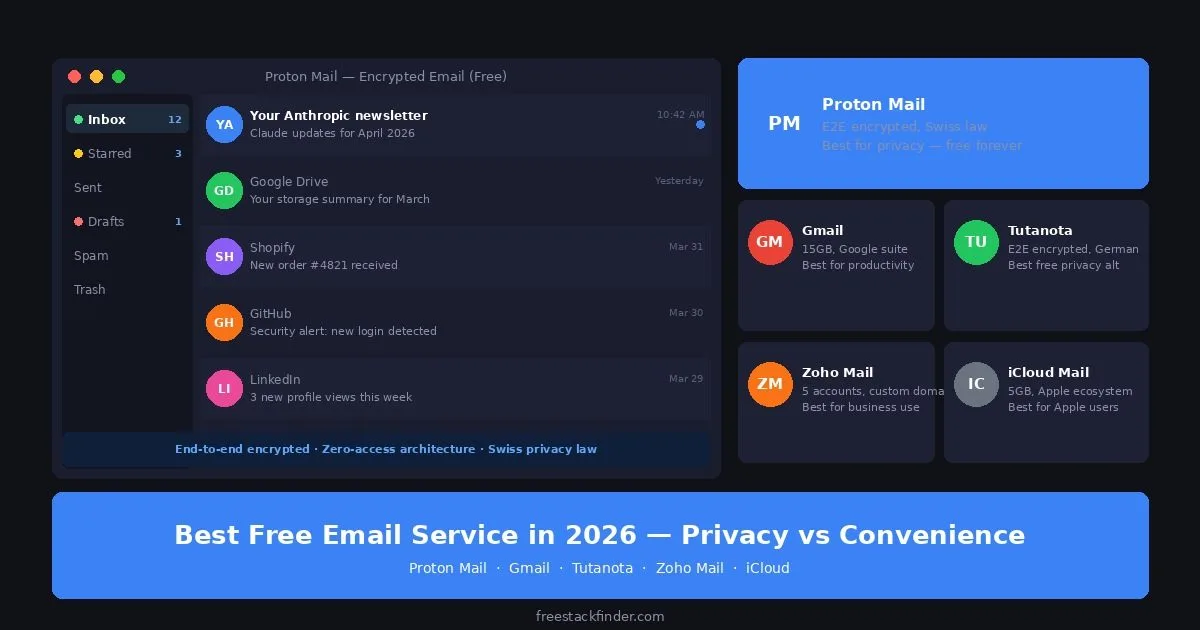
Privacy differs by provider. Google says Gmail does not scan or read messages to show ads; optional smart features can use email content when enabled. Microsoft similarly says it does not use personal email content to target ads. Proton Mail and Tuta protect mail stored in their systems with zero-access encryption and provide end-to-end encryption in supported exchanges.
Storage allocations are not directly comparable. A Google Account includes 15GB shared across Gmail, Drive, and Photos, while Proton Mail Free lists up to 1GB for mail. Existing files and attachments can substantially reduce the space available in a shared pool.
Gmail connects directly with Docs, Sheets, Calendar, and Meet. That integration is useful when those tools already form the rest of your workflow.
Custom-domain support matters when the address appears on proposals, invoices, or a business website. Zoho Mail offers it on a restricted free plan in selected regions; a standard free Gmail account does not.
For storing files alongside your email, see our free cloud storage comparison for current allowances and encryption tradeoffs.
There is also a personal-versus-business split. A personal inbox can focus on convenience, search, and mobile notifications. A business inbox needs to survive staff changes and keep account ownership clear. Gmail emphasizes integrations and search, while Zoho Mail’s restricted free plan adds custom-domain support in eligible regions.
Five inboxes with different privacy models
1. Gmail: best free email for most people
Gmail is Google’s free email service and is included with a Google Account.
The account’s 15GB allocation is shared across Gmail, Google Drive, and Google Photos. Gmail also includes mobile apps, message search, labels and filters, Google Meet integration, offline access, two-step verification, and close ties to Docs, Sheets, Calendar, and Drive.
The privacy and business limits are the trade-off. Optional smart features can use mail content to personalize features when enabled, but Google says it does not scan or read Gmail messages to show ads. Storage is shared with Drive and Photos, custom-domain email requires a paid Workspace plan, and ordinary Gmail messages are not end-to-end encrypted by default.
Gmail fits users who want 15GB of shared storage, mature mobile apps, strong search, and direct integration with Docs and Drive. Those conveniences make it the easiest default in this list if Google’s data model is acceptable.
2. Proton Mail: best free email for privacy
Proton Mail is a Swiss encrypted-email service. Its free plan lists up to 1GB of mail storage and uses zero-access encryption for stored mail, with end-to-end encryption available for messages between Proton users and password-protected messages sent outside Proton.
The current Proton Mail plan comparison lists one free email address, up to 1GB for mail, a web interface, mobile apps, basic filters, and a daily sending limit. Proton Drive has a separate free storage allocation rather than sharing the same 1GB mail allowance.
The limits are practical: 1GB can fill quickly for an attachment-heavy inbox, additional addresses and custom domains require paid plans, and automatic end-to-end encryption does not apply to every outside recipient.
Proton Mail fits privacy-conscious users who want email content protected from advertising use and potential legal disclosure. Its design is different from Gmail’s because Proton stores mail in encrypted form that only your key can decrypt. For users who keep an inbox lean or reserve Proton for sensitive communication, the 1GB limit can be enough. For password management from the same company, see our free password managers guide.
3. Outlook.com: best free email for Microsoft app users
Outlook.com is Microsoft’s free email service, integrated with its web productivity tools.
Microsoft’s Outlook.com storage documentation lists 15GB of mailbox storage for free accounts, separate from 5GB of Microsoft cloud storage. The service also includes web and mobile apps, Calendar, OneDrive and web Office integration, Focused Inbox, spam filtering, and inbox rules.
Microsoft says it does not use personal email content to target ads. However, Outlook.com does show advertising on free accounts, custom-domain mail requires a paid business service, and ordinary messages are not end-to-end encrypted.
Outlook.com fits Windows users, Microsoft 365 subscribers, and OneDrive users who want email connected to Microsoft apps. Its storage allocation matches Gmail’s, and attached Word documents can be viewed and edited directly from the email client without downloading.
4. Zoho Mail: best free email for a custom domain
Zoho Mail is a business email service with a restricted free plan for one custom domain and up to five users in selected data centers.
Zoho’s current Mail pricing table lists up to five users, one domain, and 5GB per user on its Forever Free plan. That plan is available only in selected data centers and provides web access; IMAP, POP, and ActiveSync are not included.
The ceiling is business growth and client access. A sixth user requires a paid plan, and anyone who needs a desktop mail client through IMAP or POP must upgrade. Availability also depends on the data center serving the account, so confirm that the free plan appears on Zoho’s regional pricing page before moving a domain.
Zoho Mail fits freelancers, solopreneurs, and very small businesses that need youyourcompany.com without paying for Google Workspace or Microsoft 365. Its custom-domain support is the reason to choose it; paired with Zoho’s free CRM tier (see our free CRM software guide), it gives a small business professional email and customer management at no monthly cost.
5. Tuta: encrypted subject lines and calendar
Tuta, formerly Tutanota, is a German end-to-end encrypted email service with a limited free personal plan.
Tuta’s plan page lists 1GB of storage for a free personal account. It includes encrypted mail between Tuta users, encrypted subject lines, an encrypted calendar, web and mobile apps, and one Tuta address.
The free tier has the same basic storage constraint as Proton Mail, and custom domains, extra addresses, and broader account flexibility require paid plans. Automatic end-to-end encryption applies between Tuta users; encrypted mail to an outside recipient uses Tuta’s password-protected flow.
Tuta fits people who want encrypted subject lines and an encrypted calendar on the free tier and can work within its storage and address limits.
Compare storage, apps, and domain support
| Service | Free storage | Custom domain | E2E encrypted | Best for |
|---|---|---|---|---|
| Gmail | 15GB (shared) | ❌ Paid only | ❌ No | Most users: best overall |
| Proton Mail | 1GB | ❌ Paid only | ✅ Yes | Privacy-first users |
| Outlook.com | 15GB | ❌ Paid only | ❌ No | Microsoft app users |
| Zoho Mail | 5GB per user, up to 5 users | ✅ Selected regions | ❌ No | Small business custom domain |
| Tuta | 1GB | ❌ Paid only | ✅ Yes | Privacy + encrypted subjects |
The privacy trade-off in plain terms
Gmail and Outlook.com fund their free services partly through broader advertising businesses. Their published policies say personal email content is not used to select ads. Account activity and ad-personalization settings can still affect advertising elsewhere in each company’s ecosystem, while optional inbox features may process message content to provide the feature.
Proton Mail and Tuta use limited free tiers alongside paid subscriptions. Their encryption architecture and business model reduce the role of advertising, while the free accounts provide less storage and fewer connected services.
Neither model is wrong. The right choice depends on what you are storing in your inbox and how much you care about who can access it.
The work of moving later includes updating account logins, forwarding old messages, checking which services still use the old address, and rebuilding filters or labels. Leaving Proton Mail or Tuta may also change the encryption workflow. Moving a custom-domain address is easier when you own the domain, although aliases, team addresses, and client-facing signatures still need to be updated.
For most people, the long-term choice is simple: use Gmail or Outlook when convenience and storage dominate, Proton Mail or Tuta when privacy dominates, and Zoho Mail when a custom-domain address matters more than desktop-client access. Match the free tier to the purpose of the inbox; the largest storage allowance is rarely the only constraint.
Aliases are another reason to think ahead. A single personal address is easy until newsletters, account logins, client contacts, and public website forms all point to the same inbox. Providers that support aliases or custom-domain routing give you cleaner separation. Providers that do not may still be excellent for daily mail, but you will need a separate plan for privacy aliases or business identity later if your inbox becomes public-facing. Plan for that before the address spreads across forms, clients, and old account profiles you forgot existed. Better to decide early than untangle it later under pressure.
Want a VPN alongside your private email?
NordVPN encrypts network traffic between a supported device and its VPN server on untrusted Wi-Fi. It does not protect against phishing, compromised devices, or unsafe information shared with a website.
Get NordVPN →Choose convenience, privacy, or domains
Choose Gmail for 15GB of shared storage and direct integration with Docs and Drive. Choose Proton Mail when end-to-end encryption matters more than storage. Among the providers compared here, Zoho Mail supports a custom domain on its free plan for a small business. Those three choices cover convenience, privacy, and business identity without pretending one provider wins every category.
See the free email signature maker guide for tools that generate reusable HTML signatures without design software.
If you need email for a small team, with shared access or multiple user accounts on one domain, see our free team email guide for what the free options cover in 2026.
To speed up your daily email workflow with AI drafting and smart replies, our best free AI email tools guide covers what works on a free plan without installing anything you don’t need.