Use built-in help before adding an extension
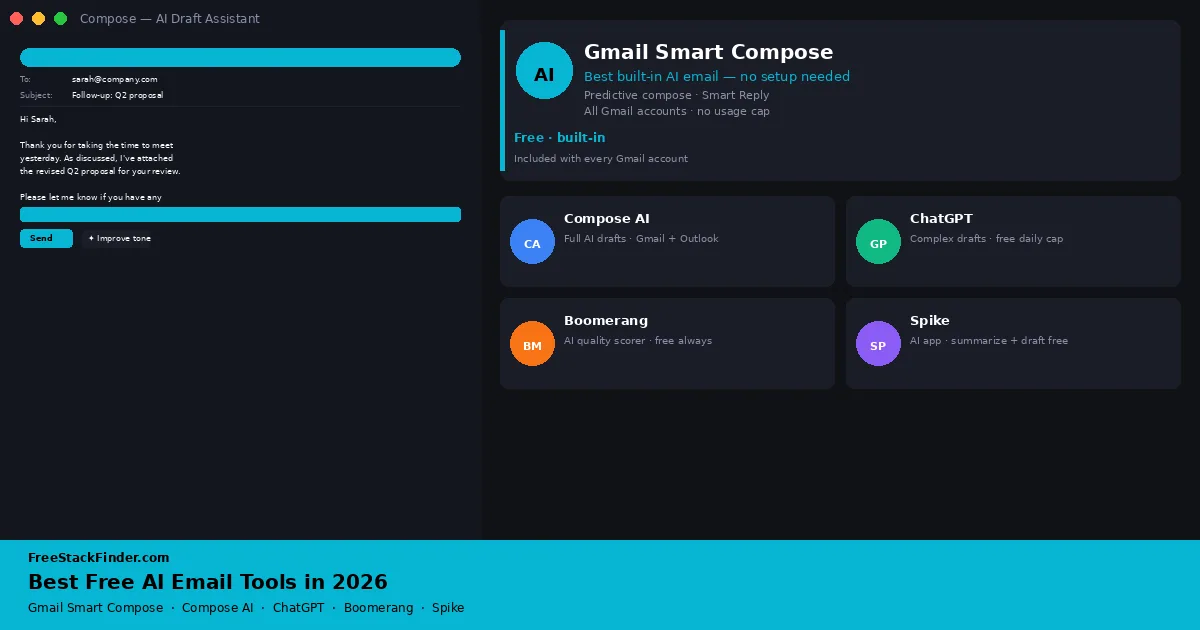
Start with the tool already in your inbox. Gmail’s Smart Compose and Smart Reply handle predictive text and short responses. Compose AI drafts inside Gmail or Outlook, while ChatGPT’s free tier can help with longer messages when copy and paste is acceptable. Boomerang for Gmail adds a basic response-likelihood meter. Choose Spike only if you also want to replace the email app itself. Teams that need custom-domain mail should begin with our free team email guide before adding an AI layer.
Inbox access raises the privacy cost
Business email time adds up across drafting, changing tone for a client or colleague, summarizing a long thread, and fixing a half-formed sentence before sending. The tools below address those tasks, but their quotas and data access differ.
Free tools now cover predictive compose, assisted replies, tone feedback, and subject-line ideas. Limits, credits, and inbox access vary by provider, so compare the feature inside the account and mail workflow where it will be used.
Choose by where the draft is created, what context the tool can access, and whether sensitive business text may leave the mail provider.
Five ways to add AI help to email
1. Gmail Smart Compose and Smart Reply: best built-in free AI for most people
Gmail Smart Compose and Smart Reply are two built-in AI features inside Gmail that require no extension, no signup, and no additional account. Smart Compose predicts the rest of your sentence as you type. Smart Reply generates three short response options at the top of any email you open.
Gmail’s built-in features are free because they are part of Gmail itself:
- Smart Compose in compose and reply windows across all Gmail accounts
- Smart Reply suggestions on incoming emails
- Personalization over time: the model adapts to your phrasing and common contacts
- Works in Gmail web, Android, and iOS
- No usage caps or credit limits
The limit is that Gmail helps with small pieces, not full email workflows:
- Smart Compose writes completions, not full drafts: you still need to initiate and structure the email yourself
- Smart Reply only works for short responses; longer threads require composing from scratch
- No thread summarization on Gmail Free (that feature is part of Google Workspace with Gemini, which requires a paid plan)
- No AI subject line generation or tone adjustment
Start here if you already use Gmail and mostly need quicker replies, sentence completions, and light phrasing help. It is not the right tool for summarizing long threads or drafting a sensitive client reply from scratch.
The practical advantage is that it requires nothing beyond your Gmail account. There is no extension to approve, no new app to trust with inbox access, and no credit balance to monitor. That makes it the safest default for basic email assistance.
2. Compose AI: best free extension for full AI-drafted email
Compose AI is a browser extension (Chrome, Edge) that adds AI writing features directly inside Gmail, Outlook, and most web-based text inputs. You can ask it to write a full email from a prompt, rephrase a selection, adjust the tone, or continue from where you left off.
Compose AI’s free path is useful when you want drafting inside the compose box:
- Autocomplete and sentence completions, subject to the current free/starter terms
- AI drafting from a short prompt, limited by current credits or pay-as-you-go rules
- Rephrase and tone adjustment for selected text
- Works inside Gmail, Outlook, LinkedIn, and other web text fields
- A free starting path, with paid usage when you exceed the included allowance
The main thing to watch is the current credit model:
- The product’s free and paid packaging has changed over time, so verify the current credit model before depending on it for daily email volume
- No email thread summarization
- No calendar or CRM integration
- The extension adds a visible toolbar overlay that takes up space in the compose window
It fits professionals who live in Gmail or Outlook and want draft help without copying text between windows. If you write five to fifteen business emails a day, verify the current allowance before making it part of your daily rhythm.
The inline experience is the reason to consider it. Writing inside your compose window, rather than generating in ChatGPT and pasting the text across, removes an extra step from every draft.
3. ChatGPT free tier: longer drafts with manual context
ChatGPT is not email-specific, but it can draft and revise messages from instructions supplied in a separate chat.
ChatGPT is not email-specific, but it covers flexible drafting:
- Access to the models and tools currently included on the Free plan
- Drafts, rewrites, tone adjustment, subject line options, follow-up emails, and cold outreach templates
- Web and mobile access, with model and tool availability that can change
- Works for any email type: professional, sales, customer service, personal
The copy-paste workflow is the trade-off:
- No direct Gmail or Outlook integration: you copy and paste in both directions
- No access to your email history, contacts, or threads
- Some models, reasoning modes, uploads, and other tools have separate limits
Use it for longer drafts where you want to control exactly what context leaves the inbox. Do not paste confidential, regulated, or employer-restricted information into a consumer AI account.
The lack of inbox integration adds a manual checkpoint: you decide what to paste and can remove identifying details first. OpenAI’s Free Tier FAQ says available models and limits can change, so the in-product notice is the reliable source for a specific account.
4. Boomerang for Gmail: best free AI email quality scorer
Boomerang for Gmail is a Gmail extension that adds scheduling, follow-up reminders, and an email quality checker called Respondable. Before you send, its meter estimates response likelihood from basic writing factors.
Boomerang’s free value is not full drafting; it is quality feedback:
- 10 message credits per month for Boomerang scheduling and follow-up features
- Respondable AI writing assistant active on every email you compose (not subject to the 10-credit cap)
- Basic Respondable feedback on every email you compose
- No credit card required
The free tier is narrow:
- Scheduling and boomerang features are limited to 10 credits per month, which resets monthly
- Positivity, politeness, and subjectivity scores require a Pro or Premium plan
- No mobile app
- Respondable scoring is advisory: it does not rewrite or suggest alternative phrasing, only scores
It fits people who send high-stakes requests, sales emails, introductions, or follow-ups where response quality matters. The tool is less useful if you want the AI to write the message for you.
Respondable’s basic meter is not charged against the ten monthly scheduling credits. Boomerang’s Respondable FAQ identifies positivity, politeness, and subjectivity as advanced paid measurements.
5. Spike: best free dedicated AI email app
Spike is an email client (web, desktop, iOS, Android) that redesigns the email experience as a chat-like interface and includes an AI writing assistant. The AI can draft replies, summarize threads, and adjust tone from inside the app.
Spike combines an email client and AI tools in one app:
- 10 free queries each for AI message generation, conversation summaries, and the AI assistant
- One email address on the free plan
- Smart inbox and chat-style email interface
- Limited search history and storage on the free plan
- Works with Gmail, Outlook, Yahoo, and IMAP accounts
Spike only makes sense here if changing email clients is acceptable:
- Unlimited AI use, multiple email addresses, longer search history, and higher storage require paid plans
- Spike replaces your existing email client rather than adding to it: users who prefer Gmail or Outlook’s native interface will find the switch disruptive
- Team features such as shared inboxes and heavier collaboration require paid plans
It fits individual professionals who are willing to change their primary inbox in exchange for built-in AI drafting, thread summarization, and a conversation-style email view.
Spike combines an email client with AI drafting and thread summaries, but using it means changing the interface around the existing mailbox. Its pricing table lists the current ten-query allowances and one-address limit.
Compare inbox access and free usage
| Tool | AI drafting | Summarization | Integration | Free tier limit |
|---|---|---|---|---|
| Gmail Smart Compose | Predictive only | No | Gmail native | No cap |
| Compose AI | Yes: full drafts | No | Gmail + Outlook extension | Monthly credits |
| ChatGPT free | Yes: full drafts | Yes (paste thread) | None (copy/paste) | Limits vary by model and tool |
| Boomerang | No (scoring only) | No | Gmail extension | Scheduler: 10/month |
| Spike | Yes | Yes | Standalone app | 10 AI queries per feature + 1 address |
Privacy and business-use considerations
AI email tools that connect to your inbox via OAuth, including Compose AI, Boomerang, and Spike, request permission to read and manage your email. Before connecting any third-party tool to a work account, check:
- What data the tool sends to its servers. Compose AI and Spike both process message content to generate AI outputs. Review each provider’s privacy policy and data processing agreement before connecting a business inbox.
- Whether your employer’s IT or security policy permits third-party email integrations. Many organizations restrict OAuth access to prevent data leakage.
- GDPR implications for European businesses. Tools that process EU personal data through US-based AI infrastructure require reviewing data transfer mechanisms and DPA agreements.
Boomerang says basic Respondable analysis runs in the browser, while its advanced machine-learning measurements send message data to its servers. Compose AI and Spike process content to generate drafts or summaries. For confidential client information, legal correspondence, or financial data, follow the account owner’s security policy and only share content that is approved for that service.
For a secure email foundation before adding AI features, see our best free email service comparison and our best free team email guide.
When the free tier runs out
The free options cover different levels of use. An upgrade may become relevant when:
- Credits or tool limits interrupt the normal workflow.
- Several people need shared features or administration.
- Direct CRM or calendar automation becomes a requirement.
- The organization requires contractual data-processing or governance controls that a consumer free tier does not provide.
For teams that have outgrown individual free tools, the paid tiers of Compose AI, Spike, or a full email client with Copilot integration are the natural next step.
Start outside the inbox, then add access deliberately
Start with what is already in your inbox. Gmail Smart Compose can suggest short continuations in supported accounts without another extension. Add Compose AI if you need full drafts inside a supported browser workflow. Use ChatGPT when manually supplying context is acceptable, and add Boomerang when its basic Respondable feedback matches the message you are editing.
Pair these tools with a provider from the free email service guide and a reusable HTML email signature. For writing beyond email, the free AI writing tools guide compares drafting and revision tools.