Free website builders can publish a working page, but custom domains, site branding, forms, analytics, storage, and bandwidth often define the paid boundary. This guide covers ongoing free plans and excludes time-limited trials.
A free URL is the first tradeoff
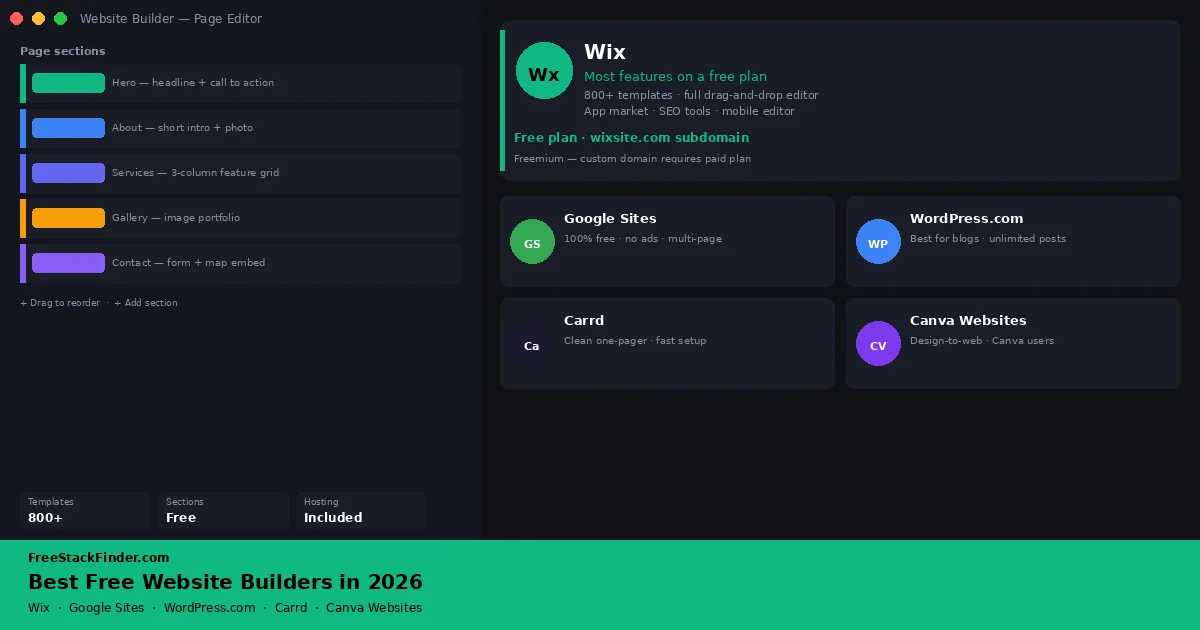
Use Google Sites for a basic multi-page site without builder ads, accepting its limited layout control. Wix has a larger template and app catalog, but the free subdomain and Wix banner remain visible. WordPress.com fits blogs and scheduled publishing. Carrd fits a one-page portfolio or landing page. Canva Websites offers visual one-page and multi-page layouts on a Canva subdomain, with analytics and custom domains reserved for paid accounts.
Portfolios and landing pages can tolerate a simple one-page builder longer than small business sites can tolerate an awkward URL. Blogs need publishing tools more than visual freedom. Local business sites usually need a custom domain, contact form, and analytics sooner than they need a huge template library.
| Tool | Best for | Free plan includes | Main limitation |
|---|---|---|---|
| Google Sites | Simple sites with zero ongoing cost | Multi-page sites, Drive integration, no ads | Basic design control; limited template variety |
| Wix | Full-featured builder on a free plan | Drag-and-drop editor, 800+ templates, apps | Wix subdomain and ads; bandwidth caps |
| WordPress.com | Blogs and content-heavy sites | Unlimited posts, basic themes, Jetpack stats | WordPress.com subdomain, ads, no custom plugins |
| Carrd | Clean one-page sites and portfolios | Up to 3 one-page sites on carrd.co subdomain | No custom domain, no forms, single page only |
| Canva Websites | Design-first users already on Canva | One-page or multi-page site on a my.canva.site address | Custom domains and Website Insights require Pro |
A free address works until the site represents a business
A decade ago, building a website without coding skills meant choosing between clunky free hosts and expensive agencies. That gap has narrowed. Modern free website builders let a freelancer, a local business, or a creator get a credible web presence without spending money upfront.
Branding and the web address define the main 2026 limits. Most free plans put the builder’s name in the URL and add an ad or badge to the page. That can suit a proof of concept or personal project, but a client-facing site may need a custom domain and an unbranded page.
The other common catch is storage and bandwidth. Tools that advertise “free” often cap how much traffic your site can handle before they throttle it or redirect visitors to an upgrade page. For a low-traffic project, this is irrelevant. For a business expecting consistent visitors, it matters.
Understanding what type of builder you need makes the decision clearer:
- Hosted drag-and-drop builders such as Wix combine a visual editor and managed hosting, while tying the site to the platform.
- Blogging platforms such as WordPress.com prioritize posts, scheduling, categories, and RSS over free-form portfolio layouts.
- Simple page builders such as Carrd keep settings to a minimum. Canva Websites now also supports multi-page layouts.
- Google Sites charges no builder fee and trades visual flexibility for that simpler model.
Five free site builders and where they stop
1. Wix: best for a full-featured builder on a free plan
Most features freeWix is a hosted website builder with a drag-and-drop editor, an AI site generator, and a large app marketplace. The free plan gives access to the full editor and most of the template library.
What you can build for free: Drag-and-drop and AI-assisted editing, templates, Wix App Market access, basic SEO settings, galleries, and contact forms. Wix currently lists up to 500MB of storage and up to 1GB of bandwidth for free sites.
The practical limit: A custom domain, removal of the Wix banner, Google Analytics, and ecommerce transactions require payment. The bandwidth allowance also limits how much data the site can serve.
Choose Wix for: Testing a portfolio, hobby site, or small-business layout before deciding whether its paid domain and branding controls are worth the cost.
Upgrade pressure to know: Wix keeps its full drag-and-drop editor and a broad template library on the free plan. The forced Wix subdomain and in-site ads, rather than missing editing controls, are the reasons to upgrade.
2. Google Sites: best when builder ads and fees are the dealbreakers
Best zero-cost optionGoogle Sites is a free, browser-based site builder included with every Google account. It integrates directly with Google Drive, Docs, Sheets, Slides, Forms, Calendar, Maps, and YouTube.
What you can build for free: Multi-page sites with Google Drive, Docs, Sheets, Slides, Forms, Calendar, Maps, and YouTube embeds. Google Sites does not place a builder ad on the published page. You still pay separately for any domain you connect.
Google Sites limits design flexibility. It has a fixed set of layouts and a small selection of themes, without free positioning, custom CSS, or third-party apps.
Choose Google Sites for: An internal resource, school or club page, or basic information site that values Google embeds over custom layout control.
Free-plan tradeoff: Google Sites does not add ads, and it can use a domain you already own without a paid builder plan. The template system is restrictive, and the result retains the recognizable Google Sites structure rather than a custom layout.
If the organization already uses Google Workspace, start by checking whether embedded Sheets, Slides, and Forms cover the site requirement before adding another builder.
3. WordPress.com: best for blogs and ongoing content
Best for bloggingWordPress.com is a hosted version of WordPress managed by Automattic. It is distinct from self-hosted WordPress.org, which requires your own hosting. The free plan is a stripped-down version of the platform.
What you can publish for free: Unlimited blog posts and pages, basic themes, Jetpack traffic statistics, a yoursitename.wordpress.com subdomain, 1GB storage.
Where you may outgrow it: Custom domain, removal of WordPress.com ads on your pages, custom plugins (no plugin installation on free), advanced theme customization, and premium theme access. Ecommerce requires a paid plan.
Choose WordPress.com for: A blog or publication that needs posts, pages, categories, tags, scheduling, and RSS more than custom design or plugins.
WordPress.com Free is built for publishing. Categories, tags, scheduling, RSS, and basic SEO fields are available without paying, and the wider WordPress community provides plenty of documentation when the editor is unfamiliar.
The main problems on the free plan are ads and the subdomain. If your site is for public professional use, the WordPress.com ads shown to visitors are a credibility problem. A paid Personal plan removes them and adds a custom domain.
4. Carrd: best for clean one-page sites
Best one-pagerCarrd is a minimal website builder designed for single-page portfolios, personal pages, link-in-bio pages, and landing pages.
What you can launch for free: Up to three sites hosted at a carrd.co subdomain, access to most templates, the full design editor, and basic embed support. No credit card required.
The practical limit: Custom domain, form submissions (the contact form requires a paid plan for form handling), third-party integrations, and multi-page layouts. Each free site is a single scrollable page.
Choose Carrd for: A one-page portfolio, link-in-bio page, event page, or temporary landing page that can use a carrd.co address.
Free-plan tradeoff: Carrd’s templates are geared toward focused one-page sites, but a custom domain requires payment. The yourname.carrd.co address can work for a temporary portfolio or profile; it is a poor fit for a business that needs its own domain.
5. Canva Websites: best for design-first creators
Best for Canva usersCanva Websites turns a Canva layout into a responsive site. It remains a visual publisher rather than a traditional content-management system, but it now supports both one-page and multi-page sites.
What you can publish for free: A site on a customizable my.canva.site subdomain. Canva Websites supports multi-page layouts with shared navigation as well as single-scroll landing pages.
The practical limit: Connecting a custom domain and using Website Insights require Canva Pro. Canva provides page titles and descriptions for basic search setup, but it does not offer the plugin, content-type, or custom-code depth of a general CMS. JavaScript support is also limited.
Choose Canva Websites for: An event page, digital lookbook, visual resume, or temporary promotion designed in an existing Canva account.
When to skip it: Choose another builder when the site needs a free custom-domain connection, built-in analytics on the free plan, custom JavaScript, a blog workflow, or deeper search controls.
Canva can work for a portfolio, campaign, or small brochure site. A content-heavy business site will usually outgrow its publishing and integration controls before it outgrows the visual editor.
When a free site stops being enough
The free plans above are appropriate while you are testing an idea or have very low traffic and no professional audience. Here is when upgrading becomes the practical choice:
A custom domain is becoming necessary for business cards, email signatures, or client proposals.
Builder branding or a hosted subdomain no longer suits the audience.
The site needs native ecommerce or payment processing, which these free plans do not provide.
Form delivery or automation has moved beyond a simple Google Forms embed.
Traffic or media files are approaching the host’s storage and bandwidth allowances.
Analytics need to inform business decisions. Wix requires an upgraded site for Google Analytics, and Canva reserves Website Insights for Pro.
If you need a full free business software stack to go alongside your website, including contacts, invoicing, and project management, see our guides to free CRM software and free invoicing software.
Upgrade when the address or workflow matters
Google Sites avoids builder ads and fees but restricts layout control. Wix offers a broad editor while keeping its banner and subdomain on free sites. WordPress.com handles recurring posts, Carrd handles a focused one-page presence, and Canva Websites handles visual sites on a Canva address.
Each is a workable starting point for the right project. Reconsider the platform when the address, publishing workflow, analytics, or integrations become more important than staying on the free plan.
For sharing your work and reaching clients beyond your website, pairing with a free social media scheduling tool can extend your reach without adding cost. See our free social media scheduling tools guide.
For document editing and file storage beside the website, see the free Microsoft Office alternatives and free cloud storage comparison.