Browser collaboration or desktop control
Use Google Sheets for shared browser-based work and LibreOffice Calc for an offline desktop spreadsheet. Zoho Sheet fits businesses already using Zoho. Stay with Excel when a workbook depends on Power Query, VBA, large financial models, or enterprise data connections; those are migration blockers, not minor missing extras.
Simple workbooks move more safely than automated ones
Microsoft 365 Personal is a paid subscription. A student, freelancer, or small business owner who primarily manages budgets, tracks data, and builds simple formulas may not need the desktop Excel features included in that subscription.
Google Sheets includes array formulas, XLOOKUP, and lambda functions. LibreOffice Calc handles multi-sheet workbooks and imports Excel files, although complex formatting and formulas still need checking after import. Both cover common work such as expense tracking, project budgets, inventory lists, invoices, and data cleaning.
Cost and device access are common reasons to consider another spreadsheet. Whether a switch works depends on the workbook: simple trackers transfer more cleanly than files built around macros, data imports, or add-ins.
The decision should start with the workbook, not the brand name. A simple budget, invoice tracker, inventory list, or content calendar is easier to move than a workbook with VBA macros, Power Query imports, custom add-ins, or linked corporate data sources. Test every critical sheet and run representative formulas, pivots, charts, and exports before leaving Excel.
Collaboration is the other dividing line. If three people edit the same tracker, Google Sheets or ONLYOFFICE is safer than emailing files around. If one person owns sensitive finance data and works offline, LibreOffice Calc is the cleaner fit. If the spreadsheet has become a lightweight CRM or project database, Airtable may fit the structure better than a flat sheet.
Five ways to replace everyday Excel work
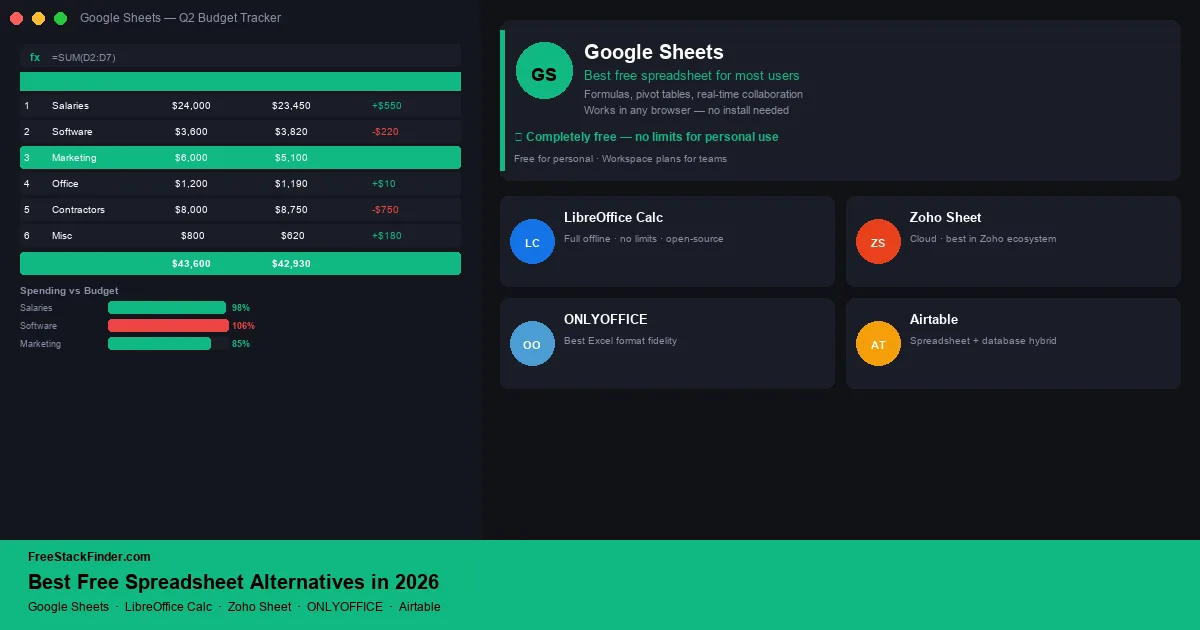
1. Google Sheets: best overall free spreadsheet for most users
Google Sheets is Google’s browser-based spreadsheet application. It is available to personal Google Accounts and stores files in the account’s shared Drive allowance.
Google Sheets covers the everyday spreadsheet work most people do:
- Spreadsheets stored in the 15 GB allowance shared by Drive, Gmail, and Photos
- Full formula library including XLOOKUP, ARRAYFORMULA, LAMBDA, and QUERY functions
- Pivot tables, charts, and conditional formatting
- Real-time collaboration: multiple users editing simultaneously with live cursors
- Comment threads and version history
- Import and export of .xlsx, .csv, and .ods files
- Available in browser on any device, plus iOS and Android apps
- A personal tier that does not require a Google Workspace subscription
The limits show up with offline work and heavy Excel files:
- Offline use requires enabling offline mode manually in Chrome: less direct than a desktop app
- Large or formula-heavy workbooks can strain a browser, so test a representative copy before migrating
- Some advanced Excel features (Power Query, Power Pivot, complex VBA macros) do not transfer
- 15GB storage limit is shared with Gmail and Google Photos
Use Sheets for shared budgets, client trackers, content calendars, lightweight dashboards, and any spreadsheet that more than one person needs to update. It is also the natural choice for anyone already using Gmail, Google Drive, or Google Docs.
During shared editing, collaborators can see cursors, edits, and comments in the same file. The QUERY function also supports SQL-style operations inside a formula, which is useful for filtering and combining tabular data.
For tracking project budgets and timelines alongside spreadsheet data, see our free project management software guide.
2. LibreOffice Calc: best free offline desktop spreadsheet
LibreOffice Calc is the spreadsheet component of LibreOffice: a fully featured, open-source office suite that installs locally on Windows, macOS, or Linux.
LibreOffice Calc is the desktop answer:
- Completely free: no subscription, no trial period, no feature limits
- Installed locally: no internet connection required
- Full spreadsheet features: formulas, pivot tables, charts, macros, conditional formatting
- Strong Excel file compatibility (.xlsx import and export)
- Support for complex workbooks with multiple sheets and cross-sheet references
- Macro recording and a built-in Basic scripting language
- Available on Windows, macOS, and Linux
The trade-off is collaboration:
- No built-in cloud sync: you manage your own file storage and backups
- Real-time collaboration with multiple users is not supported natively
- The interface uses more traditional desktop menus than Excel or Google Sheets
- Some Excel macros (VBA) do not run correctly in LibreOffice’s Basic environment
- Mobile apps are not available from the LibreOffice project directly
Choose Calc if you work primarily offline, handle sensitive financial data you do not want stored in the cloud, use Linux, or maintain complex workbooks that do not need simultaneous editing.
Calc has no subscription or trial clock, and local files do not consume a vendor storage allowance. It supports macros, charts, and pivot tables, but it is not the right tool for teams that need concurrent editing.
Download LibreOffice Calc free →
3. Zoho Sheet: best free spreadsheet inside a business workflow
Zoho Sheet is Zoho’s cloud-based spreadsheet application, available as a standalone free tool and as part of the Zoho Workplace suite.
Zoho Sheet gives free accounts:
- 5GB storage for free accounts
- Full formula support including pivot tables and charts
- Real-time collaboration
- Import and export of Excel, CSV, and ODS files
- Conditional formatting and data validation
- Integration with Zoho CRM, Zoho Books, and other Zoho apps
- Available on web and mobile (iOS and Android)
It makes less sense if you do not use other Zoho tools:
- Connections work best when you already use other Zoho tools: on its own, it is less useful than Google Sheets
- Fewer community templates and third-party integrations than Google Sheets
- 5GB storage limit on free accounts
Use Zoho Sheet if you already run invoicing, CRM, or bookkeeping through Zoho. A contact list in Zoho CRM can feed a spreadsheet in Zoho Sheet, and an invoice in Zoho Invoice can pull data directly from a Zoho Sheet.
For users running business operations through Zoho tools, Sheet adds spreadsheets without introducing a separate platform. For standalone spreadsheet use without other Zoho context, Google Sheets is the stronger choice.
For related Zoho tools in the Business suite, see our free CRM software guide and free invoicing software guide.
4. ONLYOFFICE Docs: best free collaborative spreadsheet for self-hosted or team setups
ONLYOFFICE Docs is an open-source office suite with a spreadsheet editor that can be used via ONLYOFFICE’s free cloud tier or self-hosted on your own server.
ONLYOFFICE is worth considering when Excel compatibility is the decision point:
- Cloud-hosted free tier with collaborative spreadsheet editing
- Good support for preserving
.xlsxformatting during routine edits - Real-time co-editing with comments and track changes
- Self-hosting option for full data control
- Available on web, Windows, macOS, and Linux desktop apps
The practical limit is setup and scale:
- Cloud free tier has storage and user limits
- Self-hosting requires server setup and maintenance
- Smaller community than LibreOffice or Google Sheets
- Fewer templates and add-ons than Google Sheets
It fits teams that need real-time editing but cannot use Google Sheets because of data-control or client-file requirements. Developers and technical teams can also self-host it when keeping files on their own infrastructure matters.
ONLYOFFICE emphasizes Microsoft format compatibility, but complex workbooks can still change during import or export. If you regularly exchange .xlsx files with clients or partners, test named ranges, conditional formatting, charts, and formulas before choosing it.
5. Airtable free tier: best for spreadsheet-database hybrid workflows
Airtable is a cloud platform that combines a spreadsheet interface with a relational database structure: useful for teams managing structured data, content calendars, project tracking, and lightweight CRM workflows.
Airtable’s free tier is for structured data, not heavy formulas:
- Up to 5 bases (workspaces) with up to 1,000 records per base
- Grid view, calendar view, gallery view, and Kanban view
- Attachments, linked records, and custom field types
- Basic automations (limited runs per month on free)
- Available on web, iOS, and Android
The record cap is the ceiling:
- 1,000 record limit per base is a real constraint for larger data sets
- Advanced views (timeline, Gantt) require paid plans
- Automation runs are capped on free
- Revision history limited to 2 weeks on free
Use Airtable for content planning, editorial calendars, lightweight project tracking, and small-team CRM where linked records and multiple views matter more than Excel-style calculation depth.
Airtable occupies a different category from the other tools in this list. It replaces the use case where teams build sprawling spreadsheets to manage projects, content, or client data that would work better as a small database. The 1,000-record cap limits larger data sets, but for small team workflows it is often cleaner than a flat spreadsheet.
For more on free project and task management, see our free project management software guide.
Compare collaboration and file handling
| Tool | Offline | Collaboration | Excel compatibility | Best for |
|---|---|---|---|---|
| Google Sheets | ⚠️ Limited | ✅ Real-time | ✅ Good | Most users, collaboration |
| LibreOffice Calc | ✅ Full | ❌ No | ✅ Strong | Offline, complex workbooks |
| Zoho Sheet | ❌ No | ✅ Real-time | ✅ Good | Zoho tool users |
| ONLYOFFICE | ⚠️ Desktop app | ✅ Real-time | ✅ Best | Excel format fidelity |
| Airtable | ❌ No | ✅ Real-time | ⚠️ Different model | Structured data, CRM |
| Microsoft Excel | ✅ Full | ✅ Real-time | ✅ Native | Complex models, enterprise |
When Excel is still worth paying for
Excel remains the right tool when the work requires it: complex financial models with Power Query and Power Pivot, large datasets that would slow down a browser-based tool, VBA macros built into existing business processes, or strict compliance environments where data cannot leave a corporate-controlled system.
Google Sheets or LibreOffice Calc can handle budgets, client lists, project plans, and modest datasets without an Excel subscription. Existing files with macros or uncommon functions require a closer test, and organizations may still need Excel for client handoffs or managed data connections.
If you are unsure, run a copy of your most important workbook through the free alternative first. Check formulas, print layouts, charts, filters, and export back to .xlsx. A free spreadsheet is only a real replacement if the file still works after that round trip.
Do not test with a blank file.
Test the workbook, not a blank sheet
Use Google Sheets for browser-based collaboration and LibreOffice Calc for unrestricted offline desktop work. Zoho Sheet fits businesses already using Zoho apps. Keep paying for Excel when VBA, Power Query, advanced pivots, add-ins, or strict workbook compatibility are requirements.
If you use spreadsheets for financial tracking, see our free accounting software guide for tools that go further than a spreadsheet alone. If spreadsheets are where you track billable hours or project effort, our free time tracking software guide is a cleaner next step. For broader office suite coverage beyond spreadsheets, see our free Microsoft Office alternatives guide.