Some resume builders let a free account create a document but charge for the final download. The tools ranked here provide a usable PDF or document export without requiring a subscription.
A free resume builder covers a first CV, a profile update between contracts, a career-change resume, or a one-page application for a specific role.
PDF access comes before template choice
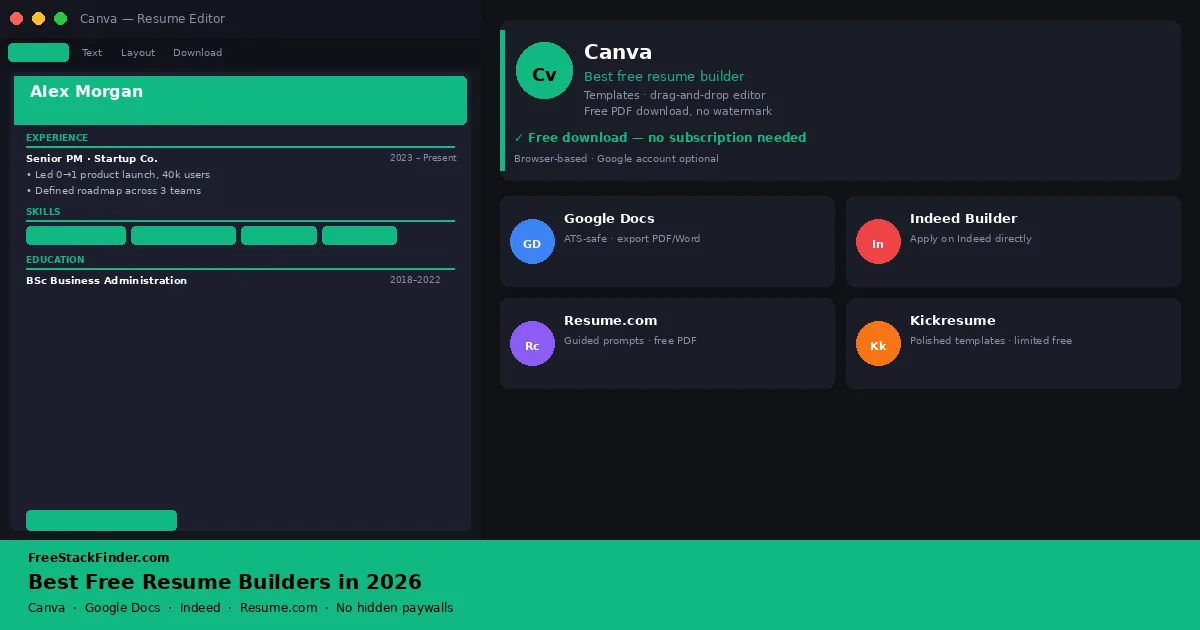
Who reads the resume first decides the tool. Software screening favors a single-column Google Docs file, while a watermark-free Canva PDF works when it goes straight to a person. Indeed Resume Builder removes an upload step on Indeed, and Resume.com provides section prompts for turning work history into bullets.
| Tool | Best for | Free plan | Main limitation |
|---|---|---|---|
| Canva | Visual, design-forward resumes | Templates + free PDF/PNG download | Designed layouts may reduce ATS parsing accuracy |
| Google Docs | ATS-friendly resumes, full control | Full editor, export to PDF or Word | Template variety is limited; design is basic |
| Indeed Resume Builder | Active Indeed job seekers | Build and apply directly on Indeed | Primarily useful within the Indeed platform |
| Resume.com | Guided, step-by-step resume building | Basic templates + free download | Fewer design options than Canva |
Free download claims can hide export limits
The problem with most resume builders is the gap between “free to create” and “free to use.” Many services allow you to fill in your details and preview a complete resume: then require payment to download it as a PDF. This model is common enough that you should assume a paywall exists until you have confirmed otherwise.
Design and ATS compatibility pull in opposite directions. Columns, icons, graphics, and custom fonts can help a direct application but may break sequential parsing in an applicant tracking system. A plain single-column document is safer when software reads the resume first.
The tools below either let you download for free or offer genuine value without requiring a PDF export.
Four builders that export a usable resume
1. Canva: best free resume builder for most people
Best overallCanva is a design tool first, so its templates offer more layout control than dedicated resume builders. That helps with freelance, creative, and direct applications. Use a simpler single-column document for strict ATS screening.
On the free plan, the useful pieces are:
- Hundreds of resume templates (a subset of premium templates requires Canva Pro)
- Drag-and-drop editor for text, layout, and colors
- Export to PDF, PNG, or share a public link
- No watermark on free downloads
- Works in any browser, no installation required
- One-page and two-page layouts available
Check these limits before committing to a template:
- Some templates are labeled “Pro” and require a paid subscription
- Free includes one Brand Kit limited to three colors; fuller brand tools and custom fonts require Canva Pro
- No built-in ATS optimization or job description matching
- Designed layouts with columns and icons may not parse cleanly through strict ATS systems
It works best when a person sees the resume before software parses it: a portfolio role, freelance proposal, agency application, startup introduction, or client-facing profile. It is also useful when you want a resume, one-page bio, and portfolio document to share a consistent look. Canva’s creative tools are covered in depth in our free Canva alternatives guide if you want to compare the broader design platform options.
Canva ranks first because its free plan exports the finished PDF immediately, with real design variety, as long as you avoid Pro-only template elements.
Visit Canva Resume Builder (opens in a new tab)
2. Google Docs: best for ATS-friendly resumes
Best for ATS compatibilityGoogle Docs is the plainest option here, and that is exactly why it works. It gives you a normal document editor, a few built-in resume templates, and full control over spacing, headings, bullet points, and export format.
Its free setup covers the practical resume workflow:
- Free resume templates built into Google Docs (accessible from File → New → From template)
- Full document editor with headers, bullet points, columns, and custom styles
- Export to PDF or Microsoft Word (.docx) at no cost
- Real-time collaboration: useful for getting feedback from a mentor or career advisor
- Works offline via the Chrome extension
- No account required to view; Google account (free) required to edit and save
The limits are mostly about design and guidance:
- Template variety is limited compared to dedicated resume builders
- No guided content suggestions or bullet point writing prompts
- Design customization requires manual formatting rather than drag-and-drop
That plainness suits large employers, corporations, government roles, recruiters, and any application funnel where an ATS is likely to read your file before a person does. A clean, single-column Google Docs resume exported to PDF is one of the safest formats for parsing. It also keeps the resume beside your other Google documents; the free Microsoft Office alternatives guide compares Docs with the other free suites.
The Google Docs file stays portable. You can download it as PDF or Word, edit it without returning to a proprietary resume platform, and keep a version history for role-specific copies.
Open Google Docs templates (opens in a new tab)
3. Indeed Resume Builder: best for active Indeed applicants
Indeed Resume Builder is less about design and more about application speed. It creates a structured resume inside the Indeed platform, then lets you attach that resume directly to job applications.
The free workflow includes:
- Guided step-by-step resume building with section prompts
- Resume visible to recruiters searching Indeed’s resume database
- Apply to jobs on Indeed directly with your stored resume
- Download as PDF at no cost
- Available on desktop and mobile
The main constraints are tied to the platform:
- Resume design is functional but basic: limited template variety
- Built mainly for Indeed; less suitable as a general-purpose resume
- Privacy setting controls matter: your resume is searchable by default unless you set it to private
It pays off when Indeed is your main job board and speed matters more than presentation. It is especially useful for high-volume applications, entry-level searches, local roles, and situations where being searchable by recruiters is part of the strategy. If you do not want that visibility, set the resume to private before adding personal details.
For people applying mainly through Indeed, keeping the resume on the platform removes an upload from every application.
Visit Indeed Resume Builder (opens in a new tab)
4. Resume.com: best guided free builder
Resume.com is a guided builder for turning a blank page into a structured draft with sections and bullet prompts. It does not offer the layout control of Canva or Google Docs.
The no-cost builder gives you:
- Guided section-by-section resume builder
- Pre-written bullet point suggestions by job title and industry
- Select basic templates and download as PDF
- Cover letter builder included
- Basic customization of colors and fonts
The builder has fewer template choices than Canva. Resume.com says its builder, templates, and downloads are completely free, with no premium membership required.
The writing, not the layout, is what Resume.com helps with: a first resume, a return after a work gap, a career change, or a job history that needs help turning responsibilities into concise bullet points. The guided approach is more useful than a blank document for people who find resume writing difficult.
The pre-written suggestions are not a finished resume, but they are a useful starting point for the hardest part: writing bullet points. Rewrite them with your own numbers, outcomes, and specifics. A grammar checker from the free Grammarly alternatives guide can then tighten the wording in whichever editor holds the final draft.
Visit Resume.com (opens in a new tab)
A note on tools we did not include
Zety allows free resume building, but its free Basic package downloads only a plain TXT file. PDF and Word downloads need the Pro package, which starts as a 14-day trial for $1.95 and then renews at $25.95 every four weeks until cancelled. We did not include it as a primary recommendation because the usable output requires a subscription.
Novoresume’s free Basic account allows one version of a one-page resume, with predefined layouts, three fonts, and no cover letter. It may work for a minimal resume, but the free tier is narrow enough that most users will hit its constraints quickly.
Kickresume offers a free plan with a limited template set, while premium templates and generated content are paid. Check it only if Canva’s layouts do not fit the target industry.
Microsoft Word Online is a reasonable option if you already have a Microsoft account: Word templates include several resume layouts, and the free web version exports to .docx cleanly. For people who already use Microsoft apps, it works similarly to Google Docs.
Compare export and editing control
| Situation | Best tool |
|---|---|
| Applying to a large corporate employer | Google Docs (clean ATS format) |
| Creative industry or startup role | Canva (layout control) |
| Active Indeed applicant | Indeed Resume Builder |
| First resume or returning to work | Resume.com (guided prompts) |
| Need Word-compatible output | Google Docs or Microsoft Word Online |
| Want the most template variety | Canva |
When a paid resume builder is worth it
A free tool covers a conventional one- or two-page resume. Consider a paid option if:
- You are hiring a professional resume writer who uses a specific platform
- You need a resume and cover letter package with consistent branding across multiple documents
- You are applying to roles where portfolio presentation matters and want an integrated personal website alongside your resume
- You want AI-assisted resume tailoring that matches your resume to a specific job description automatically
Resume subscriptions are sold by the week, month, quarter, or year, and the renewal terms differ more than the features. Prices below are the US figures on each pricing page in September 2026:
| Builder | Paid plan | Price | You get |
|---|---|---|---|
| Canva | Pro | $18 a month or $144 a year on Canva’s US pricing page | Pro templates and elements, 141 million stock assets instead of 4.7 million, brand kits |
| Zety | Pro Package | $1.95 for a 14-day trial, then $25.95 every four weeks; $71.40 a year on the annual package | PDF and Word downloads, cover letter builder, resume check |
| Novoresume | Premium | $21.99 a month, $39.99 a quarter, or $149.99 a year, paid once with no automatic renewal | Resumes longer than one page, several versions, cover letters, no Novoresume branding |
| Kickresume | Premium | $19 a month, $27 a quarter, or $54 a year | 40 resume and cover letter templates, AI writer, ATS resume checker, personal website templates |
| Google Docs, Indeed, Resume.com | None | Free | The free versions export a finished resume |
Zety’s row was checked again on October 26, 2026. Canva’s figure is the US price before tax; outside the US, its pricing page shows a local price and adds local tax. Check the renewal line before paying for a trial. Zety renews automatically after 14 days, while Novoresume’s plans end when the paid period does.
For most job seekers, Canva or Google Docs covers the requirement at no cost. A resume depends on relevant experience, clear wording, and accurate specifics more than template design.
Freelancers who bill clients between roles can compare no-cost billing tools in the free invoicing software guide, and a simple free spreadsheet or CRM can track applications across several roles.
Practical tradeoffs to weigh before you pick one
- A real PDF export comes first. Some tools only export PNG or share a public link on the free tier, which is awkward to attach to applications, so confirm a clean PDF export before building inside a tool.
- Canva, Google Docs, Indeed Resume Builder, and Resume.com leave the free PDF without a watermark. A handful of other free resume tools add a small watermark or footer credit, so check any tool outside this list before finalising a document.
- Canva has the widest template variety, Google Docs a small set of conservative layouts, and guided builders sit in between. A plain layout suits industries that value clarity over design.
- Most free tools require an account, and Indeed makes resumes searchable to recruiters by default unless you change the visibility setting. Treat a free tier that asks for a credit card “for verification” as a paid product, and keep personal details out of it.
- Multi-column layouts, sidebars, icons, embedded text boxes, photo headshots, and decorative fonts can confuse strict applicant tracking systems. A clean single-column PDF is the safest format for large employers, corporate recruiters, and roles posted on major job boards, and the safer assumption when you do not know whether the company uses an ATS.
- A guided builder is faster for a first resume but harder to customize for unusual career paths. A document editor such as Google Docs is slower upfront but places every element exactly where you want it, which helps career switchers and people with non-linear experience.
Checks before the resume goes out
- A heavily designed template can look good in the preview and still parse badly in an ATS, so settle the content and structure before the styling.
- Download the final resume as a PDF and open it on a different device before submitting. Confirm that fonts render correctly, no template-credit footer appears, and links are clickable.
- Template-generated bullet points stay generic until you add a verified outcome, metric, or detail from your own work, so rewrite every suggestion before submitting it.
- Free builders sometimes auto-fill placeholder values that survive into the final export. Proofread every date, job title, and company name in the exported PDF rather than the builder preview.
Match the builder to the application
- Student resume (first internship or graduate role). Resume.com or Indeed Resume Builder. The guided prompts help structure a first CV around education, projects, and part-time work where formal job experience is thin. Export as PDF and keep it to one page.
- Freelancer profile between contracts. Canva can keep the resume, portfolio, and proposal documents visually consistent for direct clients.
- Career switcher (moving industries). Google Docs. You will want full control to lead with transferable skills and a short “summary” block at the top, rather than a strict chronological work history. A single-column Google Docs layout makes that restructuring easy.
- Quick one-page refresh (already employed, applying to a few roles). Google Docs if your existing resume already works; Canva if you want a fresh visual direction without rewriting the content. Either way, keep the changes content-led: a refreshed bullet on a recent project usually beats a redesign.
Use the simplest format the application allows
If your applications split between job portals and direct contacts, keep two versions: a plain single-column file from Google Docs for anything a portal will parse, and a designed Canva PDF for people you send it to yourself. Both come from free tools, and the content should match line for line.
The free version is enough when it produces an editable file and a clean PDF without a watermark. Skip any builder that waits until download to reveal a charge.