Most HR software leads with a demo and a sales call, and free plans often stop at a short trial, a small employee cap, or a narrow feature set. Each option below handles one defined HR job at no cost, for a founder’s first hires or a small team, and each has a limit that shows up at a predictable point.
Employee records or shift scheduling
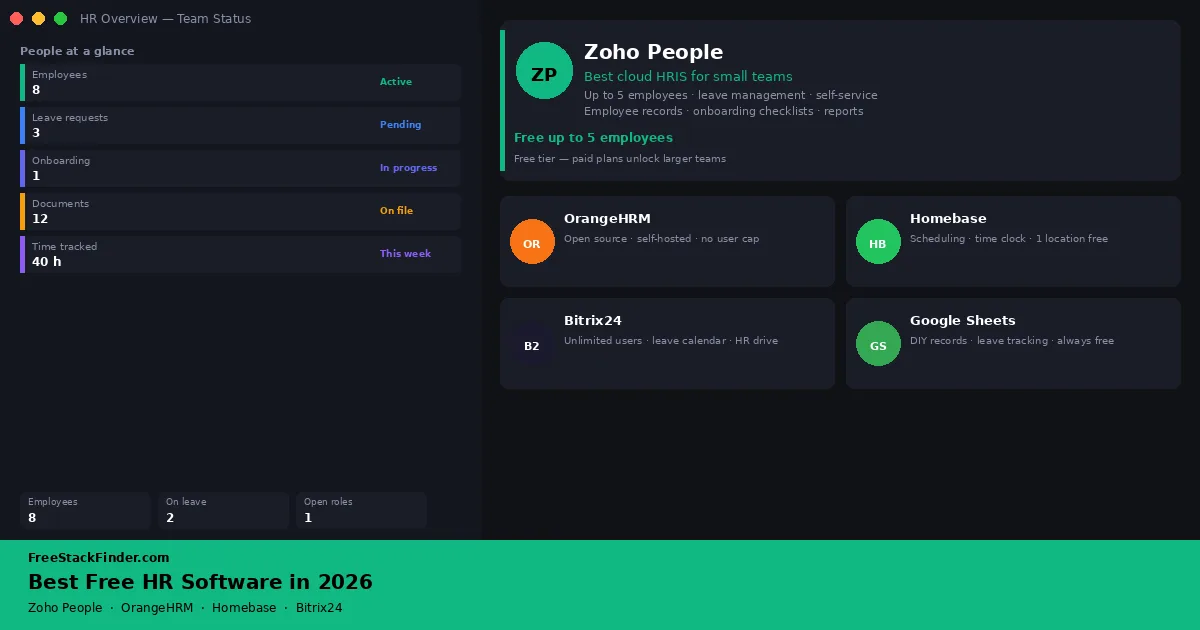
- Zoho People covers leave, records, and self-service for teams that fit its five-user free limit.
- OrangeHRM Starter, the open-source edition, suits teams that can self-host an HRIS.
- Homebase focuses on scheduling and time tracking for hourly or shift-based teams.
- Bitrix24 adds HR-adjacent features inside a broader workspace.
- Google Sheets is a manual fallback for a very small team that only needs structured records.
Small teams need records before full HR automation
A small team may track leave in a spreadsheet, forward onboarding emails, and receive time-off requests by text. That arrangement becomes risky when accrued leave, required documents, or schedule changes do not have one current record.
Free HR software does not replace employment law advice or a proper HR function at scale. It does provide a structured place for employee records, leave requests, basic onboarding workflows, and team scheduling: things that matter from the first hire.
The first decision is which HR problem is painful. Employee records point toward an HRIS. Shift scheduling points toward Homebase. Payroll should be evaluated separately. A spreadsheet can work for two people, but it becomes fragile when leave approvals, documents, and onboarding tasks all depend on one manual file.
Shift schedules and task lists overlap with this guide, and the free time tracking software and free project management software guides compare those tools directly.
Five ways to manage a small team’s records
1. Zoho People
Zoho People’s free edition is a working employee database rather than a demo, as long as the team stays at five users:
- Up to 5 users
- Employee records and profiles
- Document management
- Leave requests and time-off management
The ceiling is clear:
- Onboarding, offboarding, and HR reports start on the paid Essential HR plan
- Attendance, timesheets, and rosters start on Professional
- Performance management starts on Premium
- Payroll is not part of any Zoho People plan; it requires Zoho Payroll, a separate product
- More than 5 users
It suits a founder’s first few hires, especially when employee records and leave requests need to move out of email or spreadsheets, but not a team whose core requirement is attendance, payroll, or performance reviews. The 5-employee cap is a hard limit, so teams close to that threshold should plan the paid path before moving everything in.
Explore Zoho People (opens in a new tab)
2. OrangeHRM Starter
OrangeHRM removes the employee cap entirely, on the condition that you host it yourself. Starter, the open-source edition formerly called Community Edition, gives self-hosted teams a full HRIS base:
- Unlimited employees (self-hosted)
- Employee information management
- Leave and time-off tracking
- Time and attendance module
- Performance management
- Recruitment module
- Open-source license (GPL)
The trade-off is ownership of the stack:
- Cloud hosting (you provide the server)
- Support (community forums only; paid support is a separate offering)
- Onboarding, request desk, and other advanced modules are part of OrangeHRM Advanced, which is quote-priced after a 30-day trial
For a business that can manage a PHP/MySQL stack, it is the most complete free HRIS here, with records, leave, time, recruitment, and performance modules and no per-employee pricing. The cost is hosting overhead and the absence of official support on the free tier.
Explore OrangeHRM (opens in a new tab)
3. Homebase
Homebase answers a different question from the HRIS tools: who is working when. Its free Basic plan is scheduling-first:
- 1 location with up to 10 employees
- Basic employee scheduling
- Basic time clock and time tracking
- Point-of-sale integration
It is not a complete HRIS:
- More than 10 employees or a second location
- Team messaging and advanced scheduling, which start on the paid Essentials plan
- PTO and time-off controls, which start on Plus
- Onboarding, labor cost management, and HR compliance tools, which sit on All-in-One
- Payroll, an add-on on every plan
Restaurants, retail, and service businesses with hourly or shift-based staff get the most from it. The free plan covers scheduling and time tracking for one location and up to 10 employees, which fits a small shop or cafe, but it is not a substitute for an HRIS if employee records, documents, or leave workflows are the real problem.
Explore Homebase (opens in a new tab)
4. Bitrix24
Bitrix24’s HR features come as part of a broader workspace that also covers CRM, project management, and communication:
- Employee directory and profiles
- Absence calendar (leave requests and approvals)
- Time tracking
- Task management
- Internal messaging and video calls
- HR drive (shared documents)
The HR layer is broad rather than deep:
- Payroll
- Formal performance review workflows
- Advanced HR automation
- Dedicated HR reporting
It fits teams that already use Bitrix24 for communication, CRM, or project management and want basic employee directories, absences, and documents in the same workspace.
Check the seat allowance inside the account before planning around it. Bitrix24’s main pricing page describes Free as a one-to-two-user plan, while its cloud-plan comparison lists unlimited users. The HR module is also broader than deep: leave tracking is included, but it is not as structured as a dedicated HRIS.
For teams already using Bitrix24’s free CRM tools, the HR features sit in the same workspace.
Explore Bitrix24 (opens in a new tab)
5. Google Sheets (or Excel Online)
Google Sheets and Excel for the web are spreadsheets rather than HR systems. They can still hold a basic employee directory, leave record, or onboarding checklist for a small team.
The free plan is the spreadsheet tier you already have: Google Sheets and Microsoft Excel Online both cover rows, sharing, commenting, and basic automation.
What it lacks is the HR structure: leave request workflows, employee self-service, audit trails, permission controls on individual records, onboarding automation, and anything that a purpose-built HRIS provides.
A spreadsheet is enough only for solo operators or two-person teams that need a structured place to store employee details, track leave, or document onboarding and are not ready to adopt dedicated software.
The appeal is zero cost, zero setup, and familiarity. A well-structured spreadsheet covers basic leave tracking and employee records for very small operations. Once a team grows past three or four people, maintaining accuracy in a spreadsheet becomes a real risk.
For spreadsheet tool options beyond Google Sheets, see free spreadsheet alternatives.
Compare hosting, team limits, and focus
| Tool | Free employee limit | Leave tracking | Self-service | Time tracking | Onboarding | Notes |
|---|---|---|---|---|---|---|
| Zoho People | 5 | Yes | Yes | Paid | Paid | Best cloud HRIS on free |
| OrangeHRM Starter | Unlimited (self-hosted) | Yes | Yes | Yes | Paid | Requires own server |
| Homebase | 10 (1 location) | Paid | No | Yes | Paid | Scheduling-first |
| Bitrix24 | Pricing pages disagree | Basic | Partial | Yes | Basic | HR as part of workspace |
| Google Sheets | N/A | Manual | No | Manual | Manual | DIY only |
Free works until records need automation
Free HR software works well when:
- Your team has fewer than 10 people
- You need basic leave tracking, employee records, and onboarding checklists
- You do not need payroll, compliance workflows, or advanced reporting
- You are testing what HR tooling you need before buying
Consider a paid plan when:
- You need integrated payroll
- You have employees in multiple countries or need country-specific compliance features
- You need formal performance review cycles with scoring and feedback workflows
- Your team has outgrown the free-tier user or location caps
- You need audit trails for employment documents or disciplinary records
Paid HR software is priced per employee on Zoho People and per location on Homebase, so the cheaper option depends on headcount. Zoho, OrangeHRM, Homebase, Bitrix24, and Google listed these US rates in September 2026:
| Tool | Cheapest paid plan | Price | Unlocks |
|---|---|---|---|
| Zoho People | Essential HR | $1.25 per user a month billed yearly | Onboarding and offboarding, HR reports; Professional at $2 adds attendance, timesheets, and rosters |
| OrangeHRM | Advanced | Quote after a 30-day trial | Cloud or on-premise hosting options, official support, onboarding and request desk modules |
| Homebase | Essentials | $30 per location a month | More than 10 employees, advanced scheduling and time tracking, team messaging; PTO controls start on Plus at $70 |
| Bitrix24 | Basic | $49 a month billed yearly, or $69 monthly, for five users | 24 GB of storage and sales tools; HR management tools and employee hours tracking wait for Professional at $199 a month billed yearly |
| Google Sheets | Google Workspace Business Starter | $7 per user a month | Custom-domain email, 30 GB of pooled storage per user, admin and security controls |
A 20-person team would pay $25 a month for Zoho People Essential HR billed yearly, against $30 for one Homebase Essentials location. Homebase’s payroll add-on costs $49 a month plus $6 per employee paid.
A note on payroll: None of the free plans above include payroll processing. Payroll, especially across jurisdictions, carries tax and compliance obligations that free-tier software does not address. If payroll is a requirement, evaluate dedicated payroll tools separately rather than relying on HR software free plans to include it.
A note on compliance: HR software organizes records and workflows. It does not provide employment law advice, and free plans in particular do not include compliance features designed for specific regions or industries. If compliance requirements are a priority for your team, evaluate tools with dedicated compliance support.
Build around the missing HR workflow
The record that causes the most trouble today should decide the tool. Leave requests and employee files point to an HRIS, either Zoho People in the cloud or OrangeHRM on your own server. Shift swaps and timesheets point to Homebase, and a team already in Bitrix24 can try its HR features before adding another tool. Payroll sits outside all five free options, so price it separately whichever tool you choose.
Google Sheets remains a valid starting point for very small operations, but it does not scale. The first time a leave dispute or a missing employment document becomes a real problem, a structured HRIS earns its setup time immediately.
Bookkeeping tools that sell payroll as a paid add-on, Wave among them, are compared in the free accounting software guide. Client billing is covered in the free invoicing software guide.