Cloud books or local control
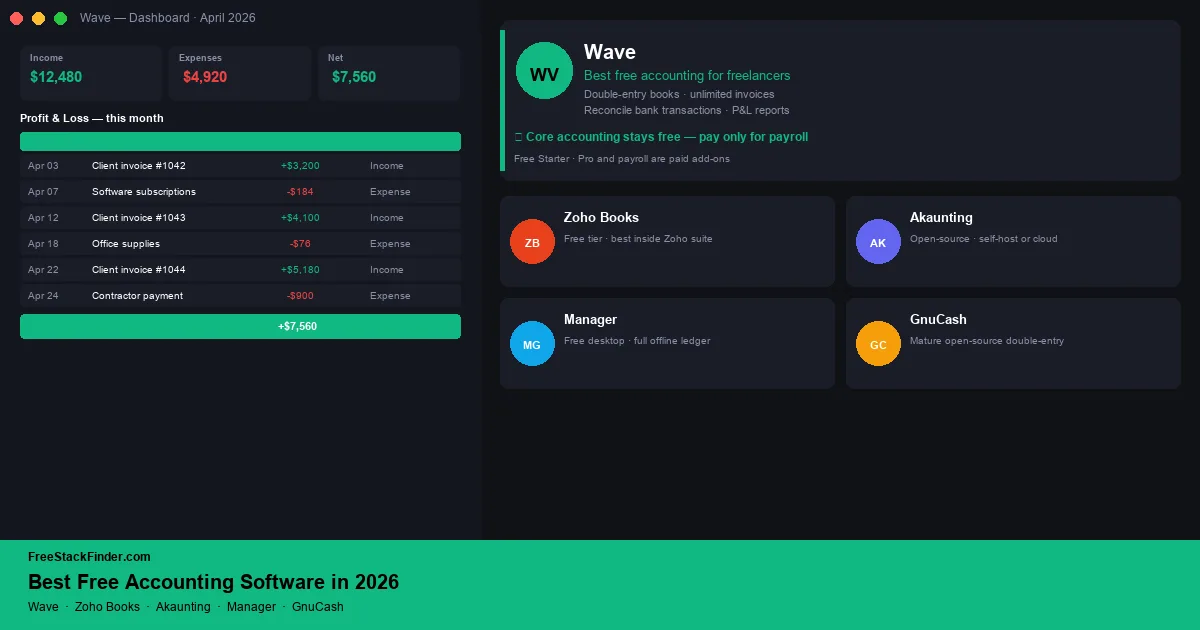
Choose Wave for cloud bookkeeping and invoicing without a recurring fee on the core Starter workflow. Zoho Books fits a small business already using Zoho, provided its regional revenue and user limits leave enough room. Akaunting trades setup work for self-hosted control; Manager and GnuCash keep the books on one computer. Start with the choice between cloud convenience and local control, rather than the product with the longest feature list.
QuickBooks, Xero, and FreshBooks start earning their fee when payroll, inventory, live bank feeds, or regular accountant access saves more time than the subscription costs. A low-volume freelancer may never reach that point.
The important distinction is bookkeeping fit, not brand familiarity. A good free accounting tool should let you record income and expenses consistently, keep invoices tied to customers, reconcile bank activity through imports or feeds, and produce reports an accountant can understand. If the tool only makes invoices, it may still be useful, but it is not replacing QuickBooks. If it keeps a proper ledger but requires manual imports, that may be fine for a low-volume freelancer and painful for a busy shop. The best choice is the one whose limits match the way money moves through your business.
| Tool | Best for | Free plan | Main limitation |
|---|---|---|---|
| Wave | Freelancers, sole proprietors | Invoices, estimates, bills, and bookkeeping records | Bank transaction imports and receipt capture require Pro |
| Zoho Books | Microbusinesses using Zoho tools | Cloud accounting + client portal | Revenue and annual document caps vary by market |
| Akaunting | Technical users wanting data control | Open-source, self-hosted for free | Self-hosting needs a PHP/MySQL server |
| Manager | Offline multi-business bookkeeping | Unlimited transactions, desktop edition | Single-user, no cloud sync |
| GnuCash | Disciplined sole proprietors | Fully free, open-source double-entry | Traditional UI, no online collaboration |
Cloud subscriptions are not the only bookkeeping model
Paid accounting suites bundle workflows that a sole operator may not use, such as payroll, multiple bank feeds, inventory, and role-based access. Someone who mainly records income and expenses, sends occasional invoices, and prepares year-end reports may not need that bundle.
Free tools now cover more than sending invoices. Wave, Zoho Books, and Akaunting handle double-entry accounting, while GnuCash and Manager are established desktop applications. A solo operator whose workflow is income, expenses, invoices, and year-end reports may not need a monthly subscription.
Free plans usually cap something: bank connections, users, revenue, report depth, or support channels. A tool that fits a sole operator does not automatically fit an agency running payroll. The tools below are ranked by how usable the free plan is for actual small business bookkeeping.
What counts as accounting software and what doesn’t
This is worth pinning down before comparing tools, because the category is often muddied.
- Accounting software maintains a double-entry ledger, tracks assets and liabilities, reconciles bank transactions, and produces at minimum a profit and loss statement and balance sheet. Wave, Zoho Books, Akaunting, Manager, GnuCash, and QuickBooks all belong here.
- Invoicing tools only generate and send invoices. They often label themselves “free accounting” but do not keep a real ledger. Square Invoices, PayPal Invoicing, and some standalone free invoice makers fall in this category: useful, but not accounting software.
- Spreadsheets used as accounting systems can handle simple record keeping, but they do not enforce double-entry, reconcile automatically, or produce a balance sheet without a carefully built model. The risk grows with transaction volume and every additional person editing the file.
If what you need is invoicing only, our free invoicing software guide is the better starting point. If what you need is the spreadsheet layer alongside your books, our free spreadsheet alternatives guide covers that. This guide focuses specifically on tools that maintain a proper ledger.
How to avoid choosing the wrong free accounting tool
Start with the handoff point. If an accountant will review your books once a year, make sure the tool can produce a clean profit and loss statement, balance sheet, and transaction export or report set without heroic cleanup. Wave, Zoho Books, Manager, and GnuCash all approach that job differently, but they are built around real bookkeeping rather than just invoice design.
Next, check how transactions enter the system. Live bank feeds are convenient, but they are often paid or region-dependent. Manual imports are workable when you have a few dozen transactions a month; they become a chore when you have daily sales, multiple cards, or lots of small expenses. That is where a paid QuickBooks or Xero setup may become less about features and more about saving bookkeeping time.
Finally, separate collaboration from accounting quality. A single-user desktop tool can keep excellent books but still be the wrong fit if an assistant, partner, or accountant needs regular access. A cloud tool can feel modern but still be the wrong fit if its free tier caps revenue, users, reports, or bank feeds in a way your business will hit quickly.
Support and documentation matter because free tools often assume you already understand reconciliation, charts of accounts, and cash versus accrual accounting. Wave or Zoho Books can be the better choice if their onboarding helps you keep the books current. Extra control in Manager or GnuCash is wasted when the ledger only gets opened at tax time.
Five accounting systems with different tradeoffs
1. Wave: best overall free accounting software for freelancers and sole proprietors
Best overallWave is a cloud-based accounting and invoicing platform for freelancers, sole proprietors, and very small businesses. Its Starter plan has no monthly subscription, while payment processing, payroll, and the optional Pro tier generate revenue.
Compared with QuickBooks, Wave makes more sense for a solo service business that needs books and invoices but not payroll, inventory, or a multi-user finance department. Wave’s current pricing page lists unlimited estimates, invoices, bills, and bookkeeping records on Starter. Automatic bank transaction imports and receipt capture sit on Pro or a paid add-on, so they should not be treated as part of the free workflow.
The trade-offs are the places larger businesses usually care about first. Live bank feeds are a paid Pro feature, payroll is a separate paid add-on, payment processing carries transaction fees, and inventory management is limited compared with QuickBooks or Xero.
Wave fits freelancers, consultants, contractors, and sole proprietors who can enter or upload transaction data themselves. It keeps invoicing and bookkeeping together without a monthly subscription, but Pro is the practical step up when automated imports and receipt capture would save meaningful time.
For invoicing-specific comparisons, including Wave against Zoho Invoice and Invoice Ninja, see our free invoicing software guide. For a deeper comparison of Wave against QuickBooks for freelancers, see our free QuickBooks alternatives guide.
2. Zoho Books: best free accounting software inside a business suite
Best for Zoho usersZoho Books is Zoho’s cloud accounting product, with a free tier aimed at businesses below a defined revenue threshold. It connects with Zoho CRM, Invoice, Expense, and other Zoho tools.
Compared with Wave, Zoho Books makes more sense if you already use Zoho CRM, Zoho Invoice, Zoho Expense, or Zoho Mail and want bookkeeping in the same suite. On the US Zoho Books pricing page, the free plan is available while annual revenue stays at or below $50,000. It allows one user plus one accountant and up to 1,000 invoices and 1,000 expenses per year. It includes bank reconciliation, but live bank feeds start on Standard.
The thresholds and feature mix vary by country, so use the local pricing page rather than assuming the US limits apply everywhere. The interface is also denser than Wave’s because there is more product surface to learn.
Zoho Books fits sole proprietors and microbusinesses already using Zoho. Its advantage is the connection between CRM records, invoices, expenses, vendors, and the ledger. Skip it if the regional revenue cap is close enough that another migration is likely soon.
For connected Zoho tools already published here, see our free CRM software guide and free invoicing software guide.
3. Akaunting: best free open-source cloud or self-hosted accounting
Best open sourceAkaunting is an open-source accounting application that can be self-hosted on your own server or used through Akaunting’s cloud environment. Akaunting describes its on-premise Standard edition as free and open source, with an app marketplace for optional extensions.
Unlike a hosted accounting suite, Akaunting is better when data ownership and self-hosting matter more than plug-and-play convenience. The free core covers double-entry accounting with invoicing, bills, payments, and reconciliation; multi-company, multi-currency, and multi-user support on self-hosted installs; customer and vendor management with statements; profit and loss, balance sheet, and tax reports; an open-source codebase; and a self-hosting option with no ongoing license cost.
The cost is operational effort. Self-hosting requires a PHP/MySQL server and someone to handle updates and backups. Many integrations live in Akaunting’s paid app marketplace, hosted terms have changed over time, and free installations rely on community support.
Akaunting fits technically comfortable small business owners, developers, and agencies that want full data ownership and are willing to run their own server. It is one of the few free, open-source accounting products that also feels modern. The self-hosted path is durable as long as the codebase remains open, but “free” here means no license fee, not no effort.
4. Manager: best free offline desktop accounting software
Best offline optionManager is a desktop accounting application available as a free edition for Windows, macOS, and Linux. Paid editions cover server and cloud use; confirm the current split on Manager’s official site before adopting it.
Compared with cloud accounting products, Manager makes more sense when offline control is the requirement. The free desktop edition handles full double-entry accounting for unlimited businesses and transactions, invoices, quotes, bills, purchase orders, credit notes, bank reconciliation, cash-basis or accrual-basis reporting, profit and loss, balance sheet, general ledger, trial balance reports, inventory, fixed assets, payroll modules, and the same product experience on Windows, macOS, and Linux.
The limitations follow directly from the desktop model. There is no built-in collaboration or cloud sync, and moving between machines means managing backup files yourself. The interface is functional and dense rather than designed for first-time users.
Manager fits sole proprietors, very small businesses, and bookkeepers managing multiple small clients on a single machine. The free desktop edition has no limits on transactions, business count, reporting, or module access. If you need a modern multi-user cloud experience, Manager is the wrong choice; if you want full offline control over your books with no recurring cost, it is a serious answer.
5. GnuCash: best free accounting software for disciplined sole proprietors
Best for sole proprietorsGnuCash is a mature, open-source double-entry accounting application available for Windows, macOS, and Linux. Its official site provides the desktop downloads and documentation.
Unlike a modern SaaS accounting app, GnuCash is better when you want a disciplined local ledger and do not need a refined client-facing design. It includes proper double-entry accounting with accounts, sub-accounts, and transaction splits; invoices, bills, customer and vendor tracking, tax tables, scheduled transactions, budgeting, reconciliation, standard reports, multi-currency with live exchange rate lookups, OFX/QIF/CSV imports, and a completely free open-source model with no license fee, revenue cap, or user cap.
The learning curve is steeper than Wave or Zoho Books because the interface and terminology are closer to a traditional accounting package. There is no built-in cloud sync or collaboration, your data file lives locally, client portal features and modern payment collection are absent, mobile companion apps are limited compared with desktop, and support is community-based.
GnuCash fits sole proprietors, hobby business owners, and bookkeepers who want a real double-entry accounting ledger on their own machine, value free open-source software, or are unwilling to store financial records in a vendor cloud. No company can decide to put it behind a paywall. For users who already understand accounting concepts and want a tool that respects that understanding, GnuCash is the right fit; Wave or Zoho Books will be easier for beginners.
Match the accounting tool to the business
Wave is the practical cloud choice for a freelancer or consultant who can work without automatic bank imports. Zoho Books fits a business already using Zoho, provided the local revenue and document limits leave room. Akaunting suits an owner comfortable maintaining a server, while Manager and GnuCash suit local desktop bookkeeping.
Payroll, serious inventory, and daily multi-user accountant access are stronger reasons to pay for QuickBooks, Xero, or another full accounting suite. Those workflows matter more than the length of a feature checklist.
If two tools still look equal, use the accountant handoff as the tie-breaker. Ask which reports and exports your accountant expects, then confirm the free version can produce them. A familiar interface will not rescue incomplete records at year-end.
When to pay for accounting software
Paid accounting software earns its fee when the business needs features free tools do not cover:
- Payroll. Running payroll properly, tax filings, payslips, compliance, is where free tools either charge add-on fees or stop altogether. Wave’s payroll, QuickBooks, and Xero all price payroll separately for a reason.
- Serious inventory management. Tracking stock across locations, handling purchase orders against multiple suppliers, and running cost-of-goods-sold reporting is where QuickBooks and Xero justify their pricing.
- A real accountant in the books alongside you. Paid tiers of QuickBooks and Xero allow an external accountant to work directly in your file with proper multi-user permissions: most free tools restrict that.
- Advanced reporting and forecasting. Custom dashboards, cash flow projections, and department-level reporting sit on paid tiers almost universally.
- High transaction volumes with daily bank feeds. Live bank-feed reconciliation at scale is typically a paid feature across every cloud accounting product, including Wave.
If none of those apply, staying on a free tool is not a compromise: it is the rational choice.
Choose the handoff format before the ledger
Start with Wave for a solo cloud workflow or Zoho Books when the rest of the business already runs on Zoho. Choose Akaunting for a self-hosted system, Manager for offline multi-business books, or GnuCash for a traditional open-source ledger.
Pay when payroll, inventory, daily bank feeds, or multi-user accountant access removes enough manual work to justify the fee. Until then, a free ledger that produces clean reports is enough.
If invoicing is the only piece you need, continue with the free invoicing software guide. The free QuickBooks alternatives guide is framed around migration, while the spreadsheet and time tracking guides cover the records that feed the books.